





Submagic ist das beste KI-Tool, um in Sekundenschnelle fesselnde Short-Form-Videos für Teams und Unternehmen zu erstellen.



Die besten Agenturen und Videoredakteure der Welt vertrauen uns


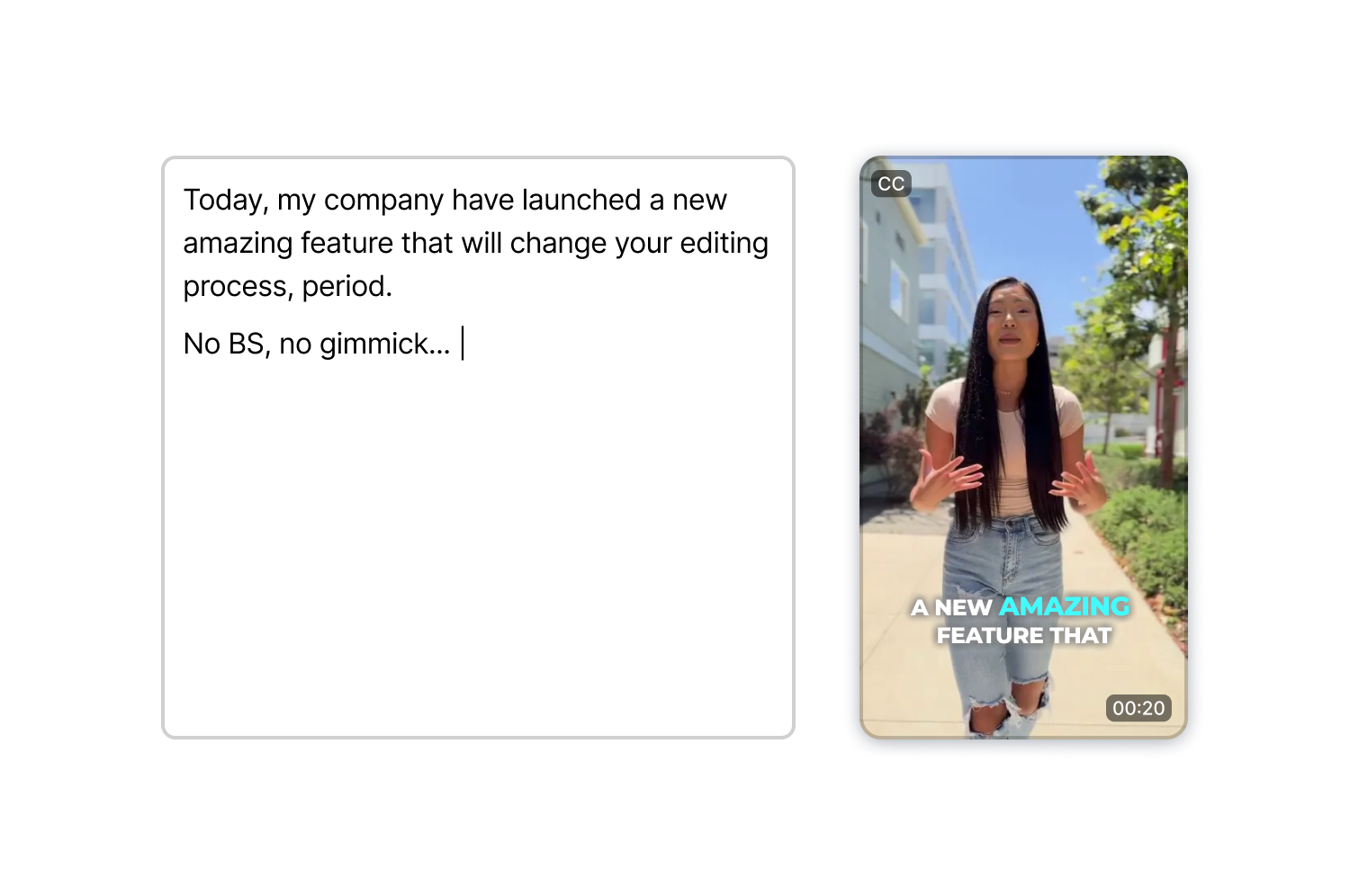
Schreiben Sie Ihr Drehbuch, wählen Sie einen Avatar und eine Stimme aus und exportieren Sie den Clip. AI Actors Studio kümmert sich um Lippensynchronisation, Mimik und Vortragsweise, sodass Sie keine einzige Aufnahme drehen müssen.
Die Anwendung ist zudem in einen vollwertigen editor integriert. Erstellen Sie Ihren Clip und fügen Sie anschließend im selben Arbeitsbereich Untertitel, B-Roll-Material und Effekte hinzu.
AI Actors Studio erstellt Moderatoren-Clips allein auf der Grundlage von Text, sodass Sie sich den Aufbau der Ausrüstung, die Anpassung der Beleuchtung und die zahlreichen Wiederholungsaufnahmen sparen, die bei Dreharbeiten normalerweise anfallen.
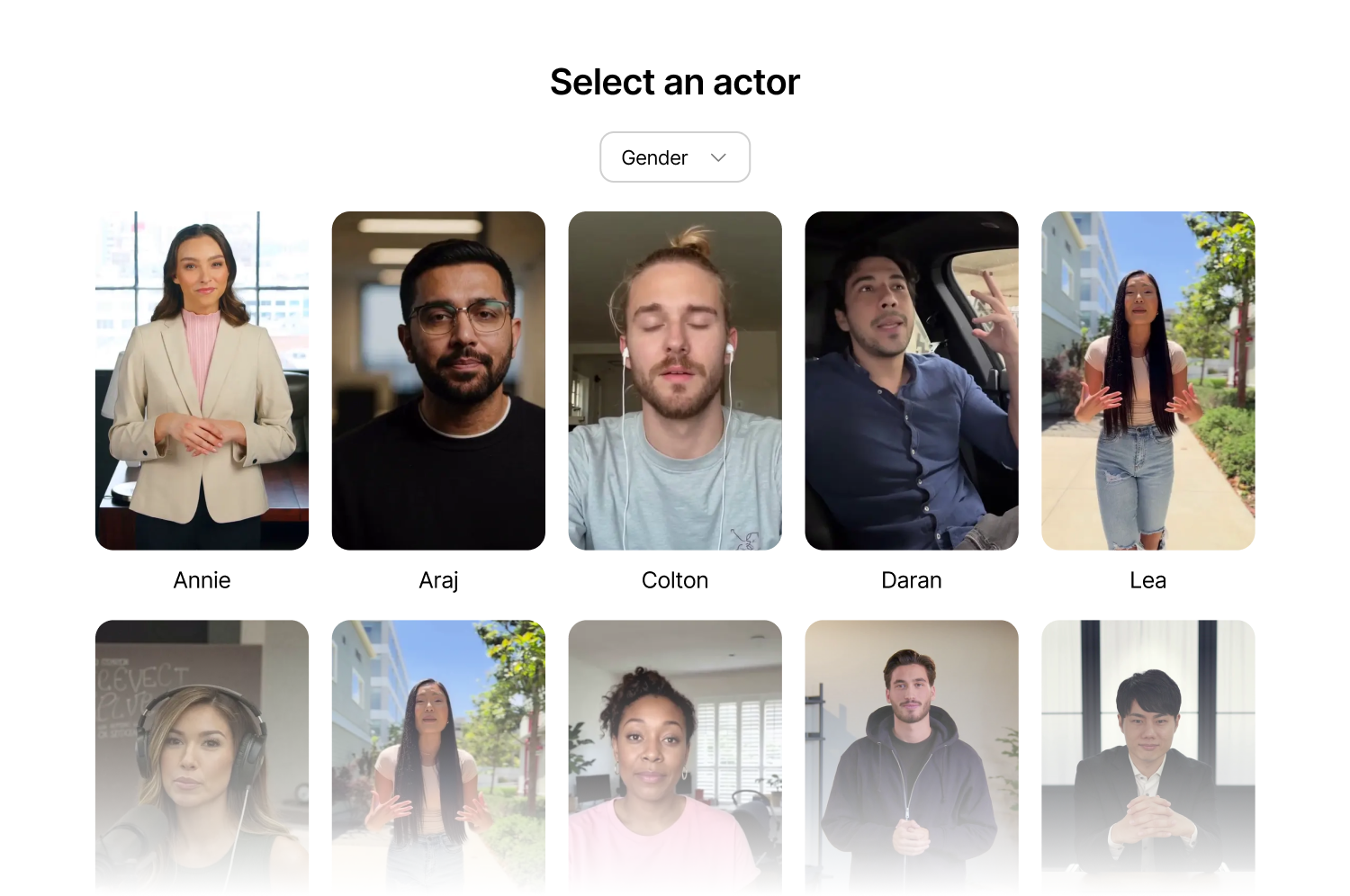
Filtern Sie nach Geschlecht, wählen Sie eine Pose aus (stehend, sitzend, im Büro, leger, im Freien) und starten Sie die Generierung. Die Lippensynchronisation passt sich Ihrem Skript auf natürliche Weise an, sodass das fertige Video überzeugend wirkt.
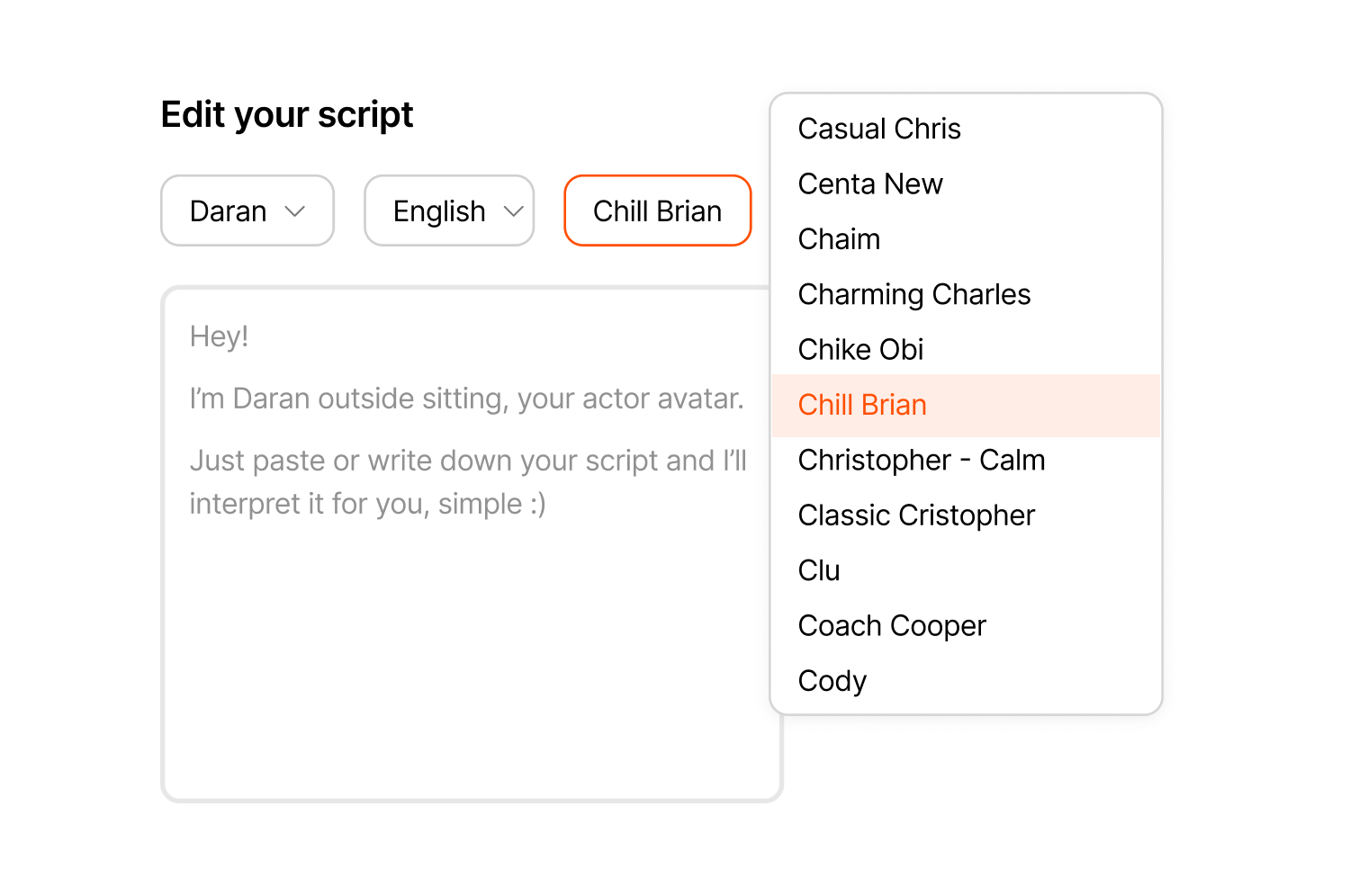
Durchsuchen Sie die Stimmen nach Akzent, Tonfall oder Energie und kombinieren Sie jede Stimme mit einem beliebigen Sprecher, um sie optimal an Ihre content anzupassen – ganz gleich, ob es sich um eine ruhige Erklärvideo-Stimme oder eine energiegeladene Produktvorstellung handelt.
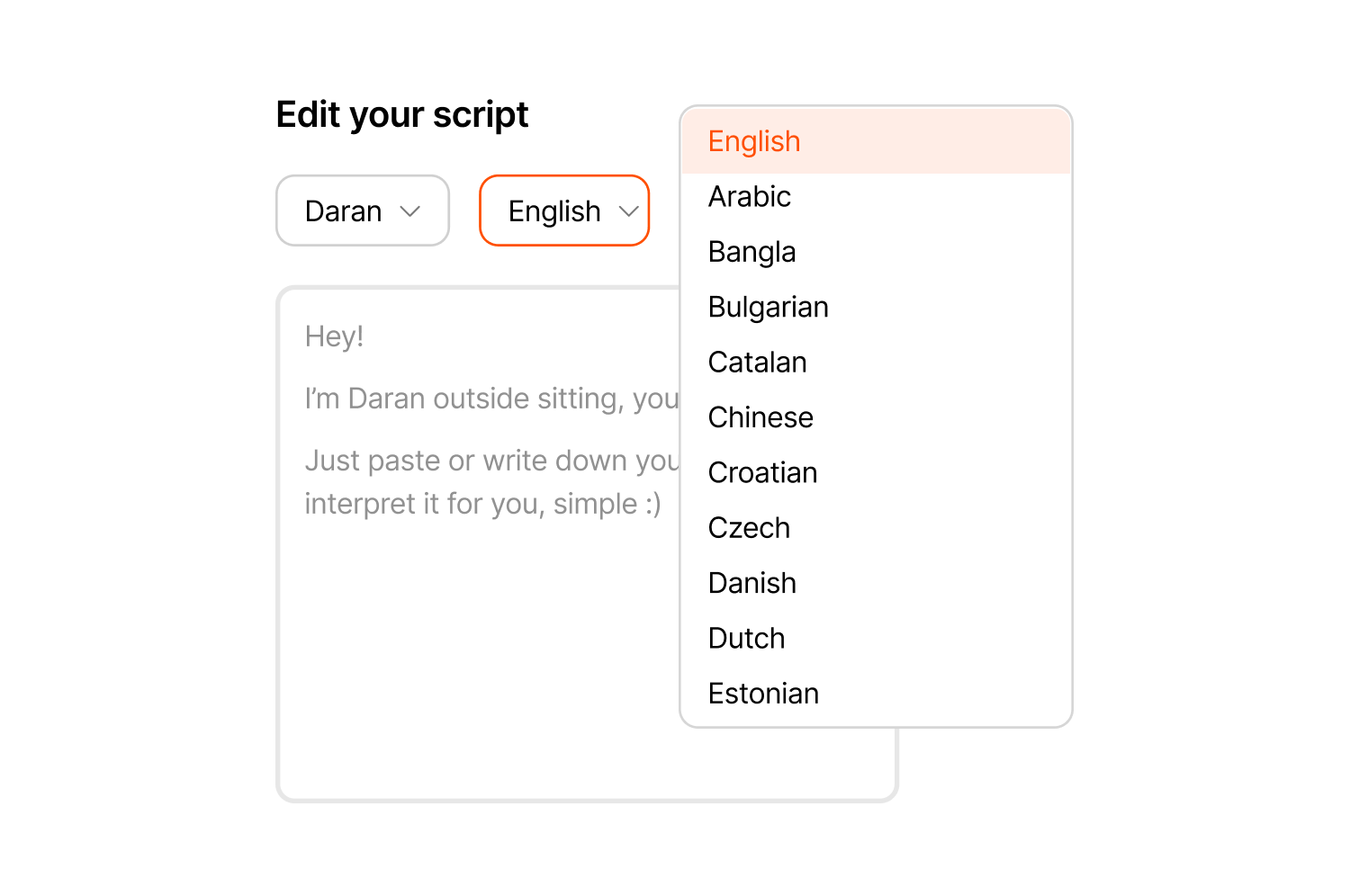
Erstellen Sie Videos mit authentisch klingenden Akzenten in Englisch, Spanisch, Französisch, Deutsch, Portugiesisch und weiteren Sprachen, sodass ein einziges Skript mit demselben Sprecher mehrere Märkte erreicht.
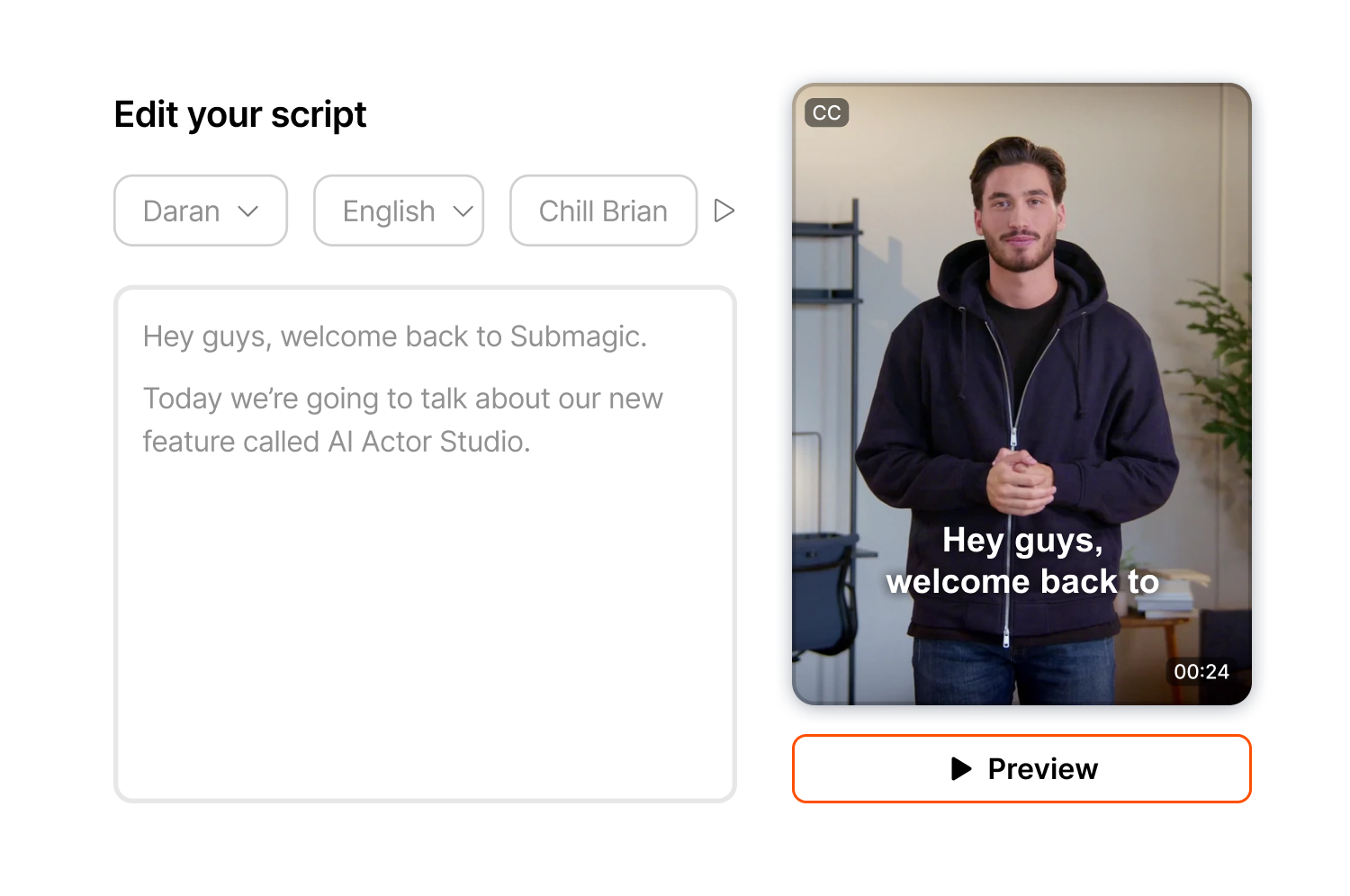
Sehen Sie sich eine Vorschau Ihres Videos an, um das Tempo und den Tonfall zu überprüfen, bevor Sie es endgültig festlegen, und passen Sie gegebenenfalls das Timing oder die Vortragsweise an, da die Vorschau kostenlos ist und Credits erst verbraucht werden, wenn Sie auf „Generieren“ klicken.
Der von Ihnen erstellte Clip wird direkt im editor angezeigt, editor Sie Untertitel, B-Roll-Material, Zoomeffekte und Übergänge hinzufügen können, ohne die App wechseln oder den Arbeitsbereich verlassen zu müssen.
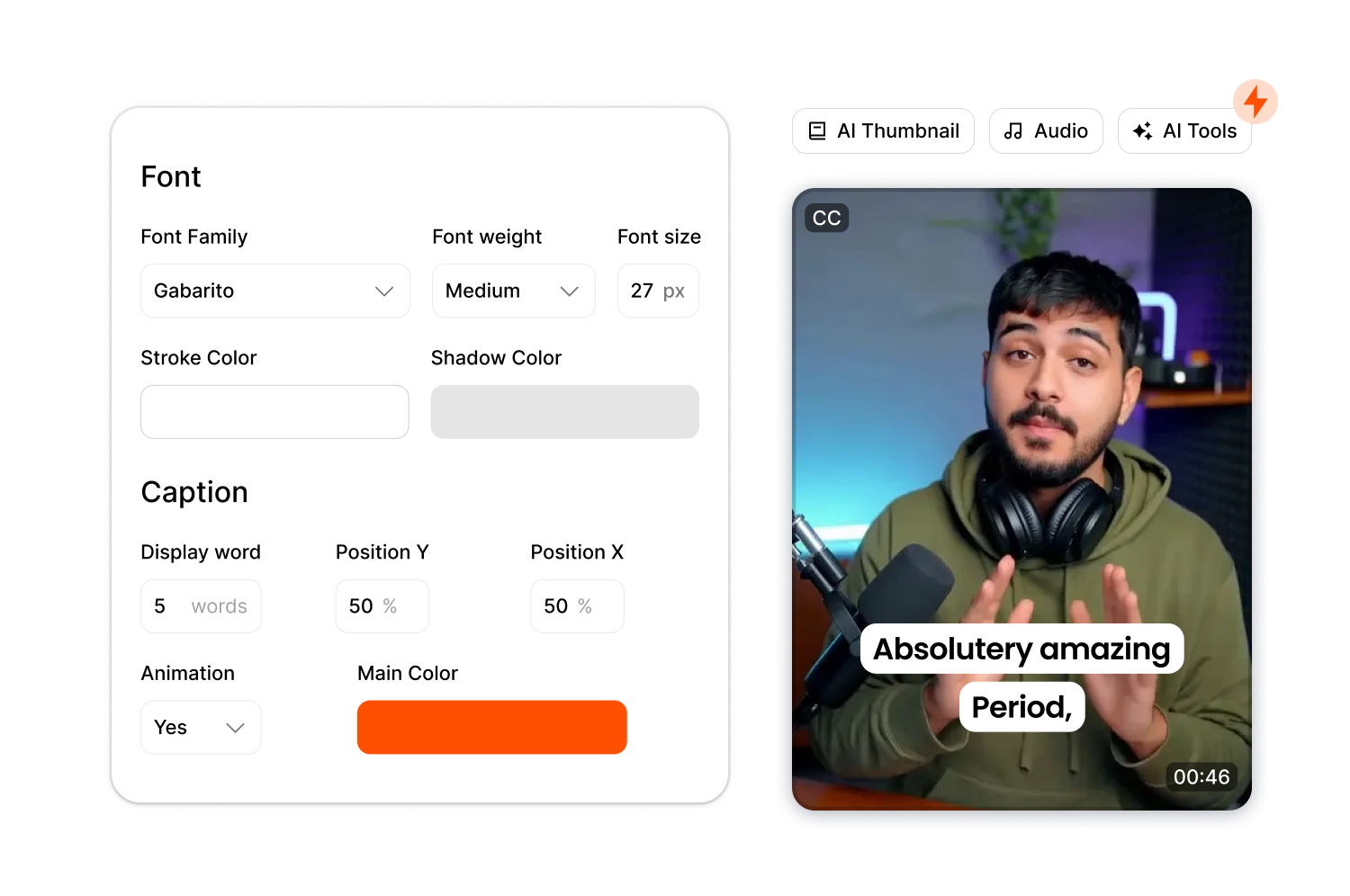
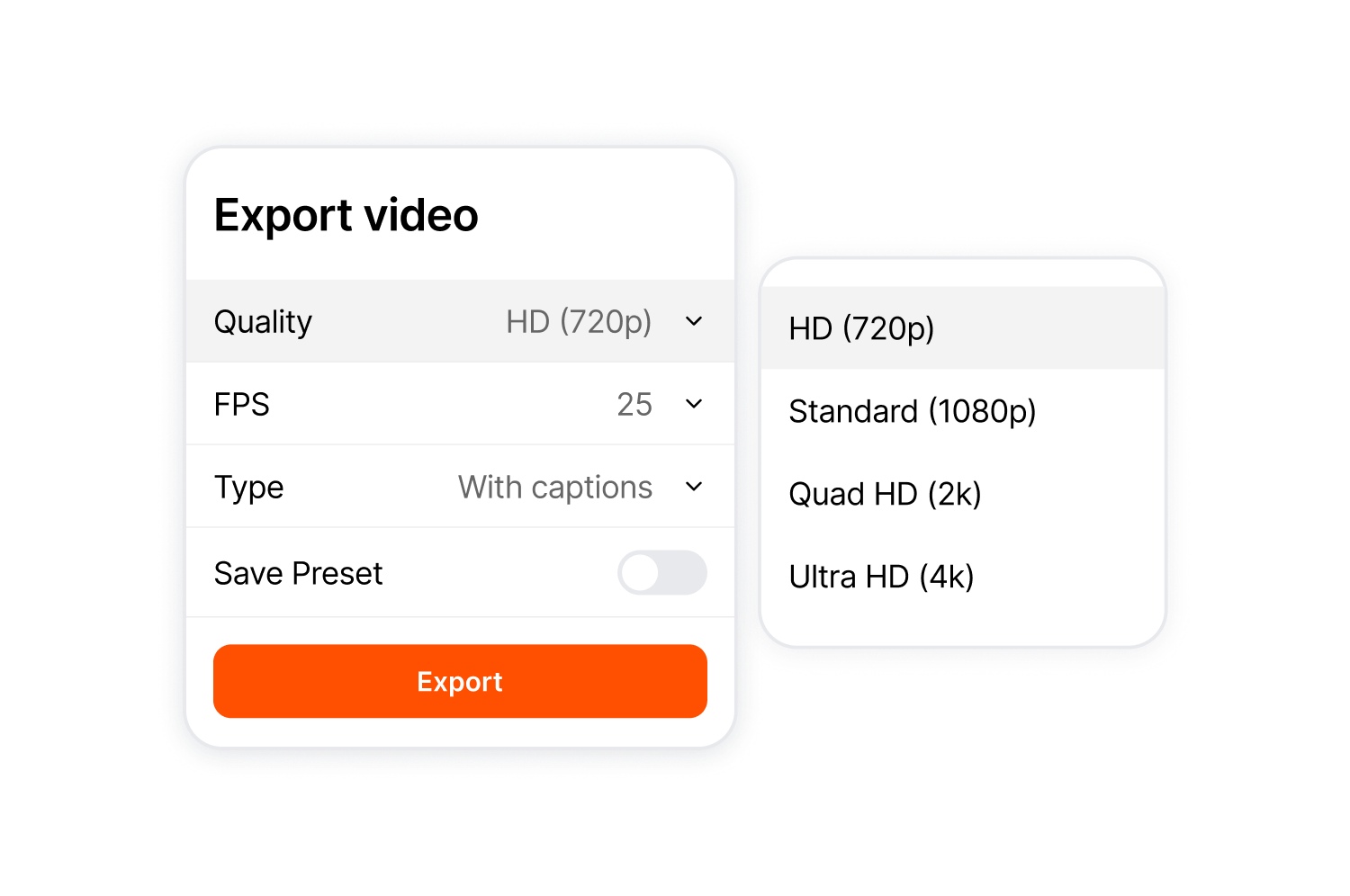
Exportieren Sie im Format 9:16, 4:5, 1:1, 16:9 oder im Originalformat. Die Auflösung reicht von 720p bis 4K, und mit ThumbMagic können Sie aus Ihrem besten Bildausschnitt ein Vorschaubild erstellen.
Befolgen Sie drei Schritte vom Drehbuch bis zum fertigen Video.
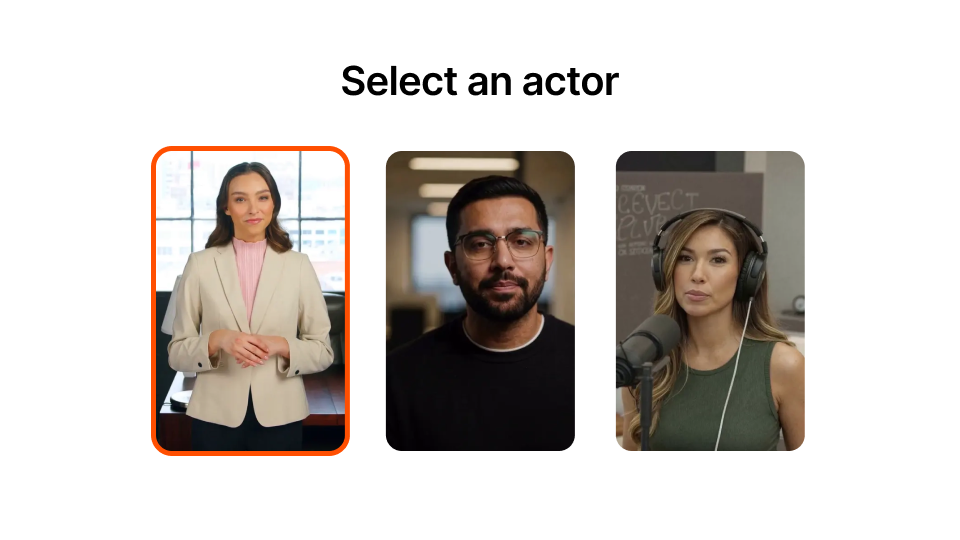
Durchsuchen Sie die Bibliothek und filtern Sie nach Geschlecht, Stil oder Umgebung. Für jeden Darsteller stehen mehrere Posen und Umgebungen zur Auswahl.
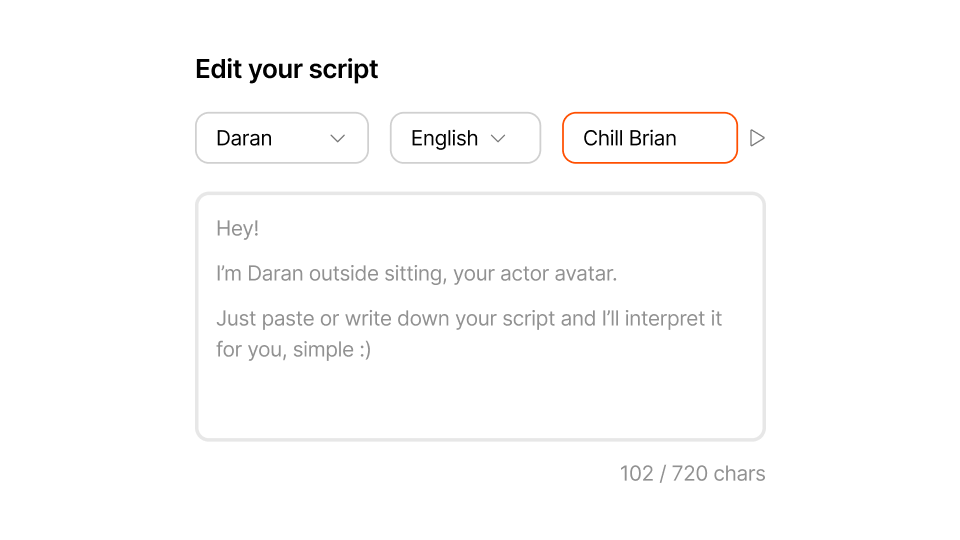
Geben Sie bis zu 720 Zeichen ein. Wählen Sie eine Stimme aus und hören Sie sich vor der Erstellung eine Vorschau an.
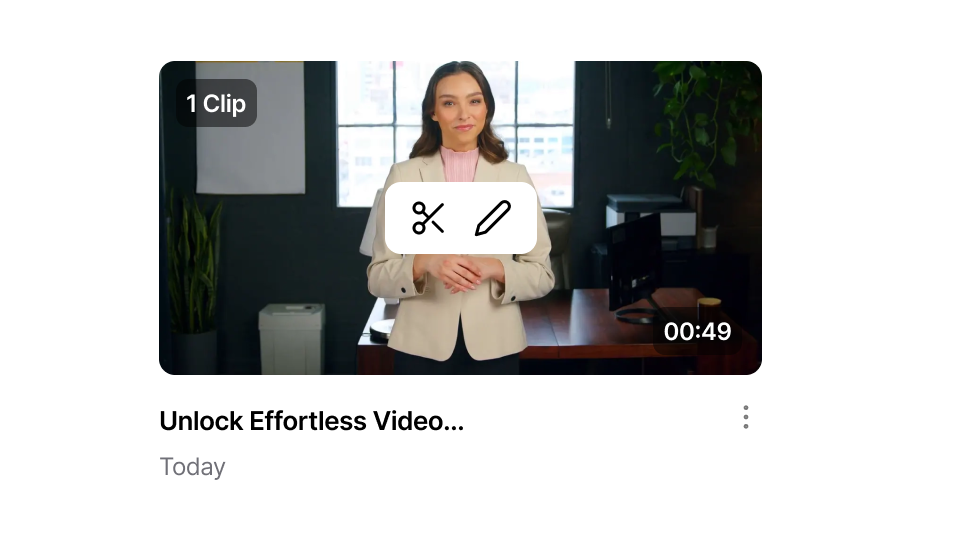
Klicken Sie auf „Generieren“ und warten Sie weniger als eine Minute. Nehmen Sie bei Bedarf Änderungen im selben Arbeitsbereich vor. Exportieren Sie die Datei, sobald Sie fertig sind.
AI Actors Studio richtet sich an Kreative und teams Videos mit KI-Sprechern ohne aufwendige Produktion erstellen möchten.
Erstellen Sie Intros, hooks und Moderationsclips, ohne sich selbst filmen zu müssen. Post , ohne jedes Mal eine Kamera aufstellen zu müssen.
Erstellen Sie für jedes Modul Intro- und Outro-Clips mit demselben KI-Avatar und einheitlichem Erscheinungsbild. Erstellen Sie diese in mehreren Sprachen, um internationale Studierende anzusprechen.
Erstellen Sie Social-Media-Anzeigen, Produkt-Teaser und Ankündigungen, ohne Darsteller buchen oder Drehtermine vereinbaren zu müssen. Passen Sie das Skript an und generieren Sie das Video neu.
Geben Sie Ihr Fachwissen einmal ein, und die KI sorgt dafür, dass es in jedem Video einheitlich wiedergegeben wird.
Erstellen Sie Produktvideos, FAQ-Videos und Ankündigungen zu neuen Produkten in jeder beliebigen Sprache. Schreiben Sie das Skript einmal und generieren Sie die Videos in der Sprache, die Ihre Kunden sprechen.
Erledigen Sie Kundenaufträge, ohne Drehtermine zu vereinbaren oder Darsteller zu koordinieren. Tauschen Sie Drehbücher aus, erstellen Sie neue Videos und halten Sie Termine ein – ganz ohne Produktionsaufwand.
AI Actors Studio ist Teil des umfassenden short-form editor von Submagic.

Generieren Sie Ihre Untertitel in wenigen Minuten. Animierte Emojis, Farben und GIFs hinzufügen
Fügen Sie Ihrem Video lizenzfreie B-Rolls hinzu oder importieren Sie Ihre eigenen Clips mit einem Klick.
Erstellen Sie fließende Übergänge zwischenB-rolls, animieren Sie Emojis mit Ton.
Erzeugen Sie 5-Sterne-Übergänge zwischen Clips, um dynamische Videos zu erstellen.
Entferne Stille aus deinem Video, wie von Zauberhand.
Fügen Sie Ihrem Video mit nur einem Klick Bilder und GIFs hinzu
Fügen Sie Soundeffekte hinzu, um eine Atmosphäre zu schaffen und Schlüsselmomente hervorzuheben.
Füge Deinem Video in Sekundenschnelle einen Musikhintergrund als Sahnehäubchen hinzu.
Erstellen Sie eine Beschreibung und Hashtags für die Optimierung Ihrer Videos in sozialen Medien.
Erstellen Sie mit nur wenigen Klicks kurze, ansprechende Videoclips aus Ihren längeren content .
Extrahieren und verbessern Sie die besten Momente aus Ihren Videos, um eine maximale Wirkung zu erzielen.
Lassen Sie Ihre Videos durch KI mit professionellen Übergängen und Timing-Anpassungen aufwerten.
Lassen Sie Ihre Videos automatisch in über 100 Sprachen übersetzen – mit Untertiteln, die auf Ihre Stimme und Ihren Stil abgestimmt sind.

Skripte können bis zu 720 Zeichen lang sein, was etwa 100 Wörtern entspricht. Sie eignen sich für hooks, Einleitungen, Social-Media-Clips und Produkt-Teaser.
Ja. Sie zeichnen sich durch natürliche Mundbewegungen und professionelle Qualität aus. Sie können sich vor der Erstellung eine Vorschau ansehen, um sich selbst davon zu überzeugen.
Ja. Die Vorschau ist kostenlos. Credits werden erst verbraucht, wenn Sie auf „Generieren“ klicken.
Das Material landet direkt im selben editor. Fügen Sie Bildunterschriften, B-Roll-Material, Zooms und Effekte hinzu, ohne den Arbeitsbereich verlassen zu müssen.
Nein. Das AI Actors Studio ist fürcontent short-form einer Längecontent 2 Minuten ausgelegt. Für längere content sollten Sie mehrere Clips erstellen und diese im editor zusammenfügen.
Ja. Schreibe ein Skript, wähle einen Avatar aus, generiere das Bild, füge Bildunterschriften hinzu und exportiere es.
Ja. Wähle einen beliebigen Schauspieler aus und kombiniere ihn mit einer beliebigen Stimme.
AI Actors Studio unterstützt mehrere Sprachen mit muttersprachlichem Akzent, darunter Englisch, Spanisch, Französisch, Deutsch, Portugiesisch und weitere.
Ja. Sie können sie für Anzeigen, Produktvideos und Kundenaufträge verwenden. Die Präsentatoren sind für die kommerzielle Nutzung lizenziert.
Jedes Video kostet Credits, deren Anzahl sich nach der Länge des Skripts richtet, in der Regel 3–4 Credits. Vorschauen sind kostenlos.
Submagic ist das beste KI-Tool, um in Sekundenschnelle fesselnde Short-Form-Videos für Teams und Unternehmen zu erstellen.