





Submagic je nejlepší nástroj s umělou inteligencí, který během několika sekund vytvoří poutavá videa short-form pro týmy a firmy.



Důvěra nejlepších agentur a střihačů videa na celém světě


Funkce AI Auto Edit generuje titulky na základě vašeho zvukového záznamu, přidává emodži, zvýrazňuje klíčová slova, aplikuje animace a vkládá kontextové doplňkové záběry. Vyberte si styl, nahrajte své záběry a během několika minut exportujte hotové video.
V tom samém editoru můžete přidávat efekty přiblížení, odstraňovat ticho, vyčistit zvuk a opravit oční kontakt.
Titulky a doplňkový záznam se generují automaticky při nahrávání. Níže uvedené nástroje Magic Tools se spouštějí jediným kliknutím.
Titulky se automaticky synchronizují s vaší řečí s 98% přesností a můžete si vybrat z desítek šablon nebo si přizpůsobit typografii, barvy a animace tak, aby odpovídaly vašemu stylu.


Umělá inteligence přečte váš přepis a vloží do něj relevantní klipy z vestavěné knihovny nebo z vašich vlastních nahrávek. Pomocí jednoduchého posuvníku můžete nastavit, jak často se budou B-rollové záběry objevovat.
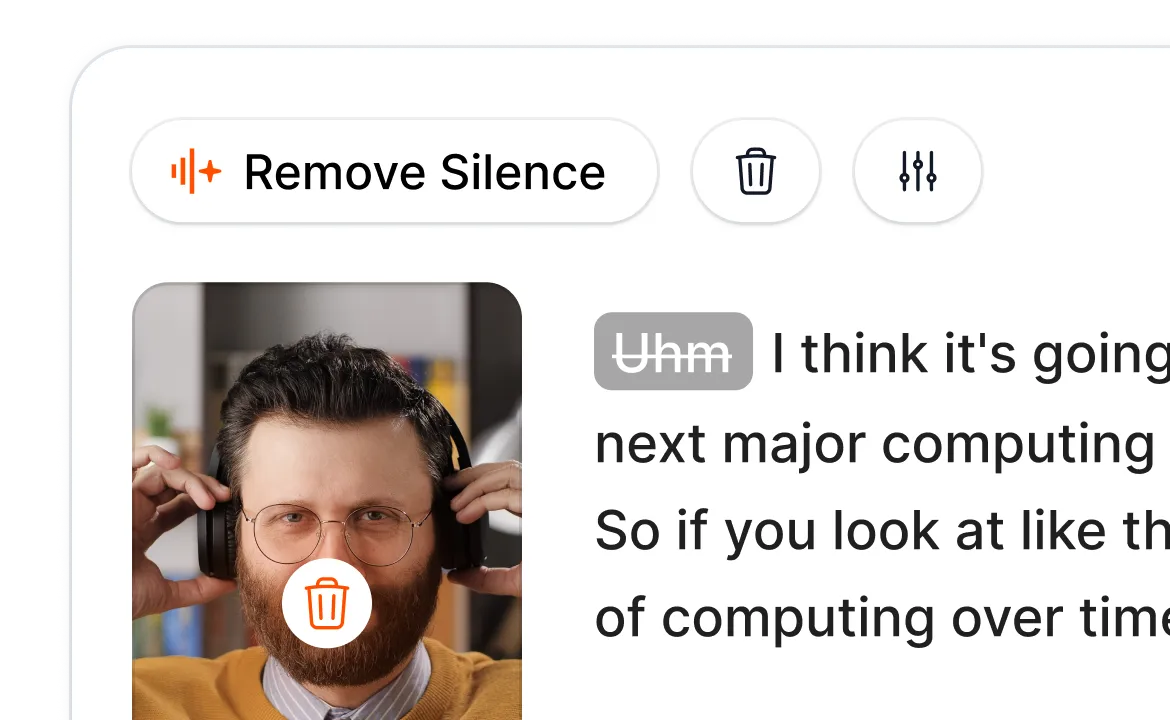
Funkce Smart Trim analyzuje váš zvukový záznam a jediným kliknutím odstraní ticho, výplňová slova a nepovedené záběry. K dispozici jsou režimy „Natural“, „Fast“ a „Extra Fast“, podle toho, jak precizní úpravu si přejete.
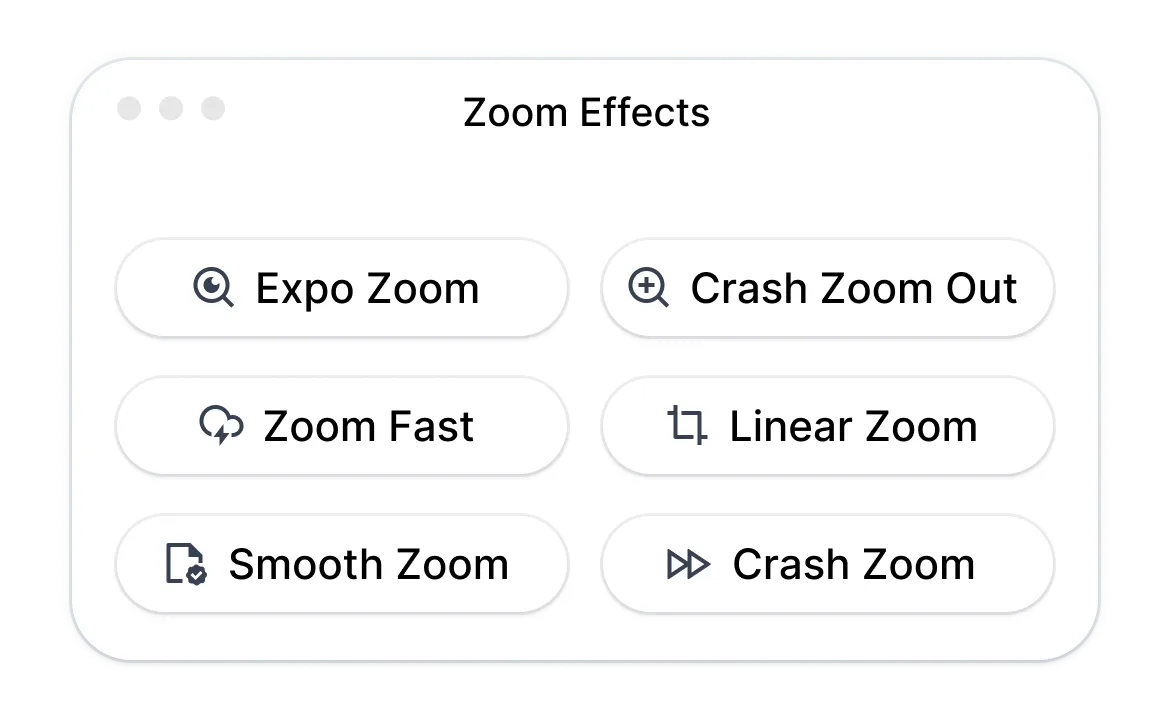
Funkce Magic Zoom zdůrazňuje klíčové momenty na základě vašeho přepisu. K dispozici jsou čtyři styly (plynulý, náhlý, exponenciální, lineární) a umístění navržená umělou inteligencí, která můžete ručně upravit nebo doplnit.
Umělá inteligence potlačuje šum v pozadí a upravuje směr vašeho pohledu tak, abyste se dívali přímo do kamery, a to i při čtení z textu. Obě funkce se spouštějí jediným kliknutím.
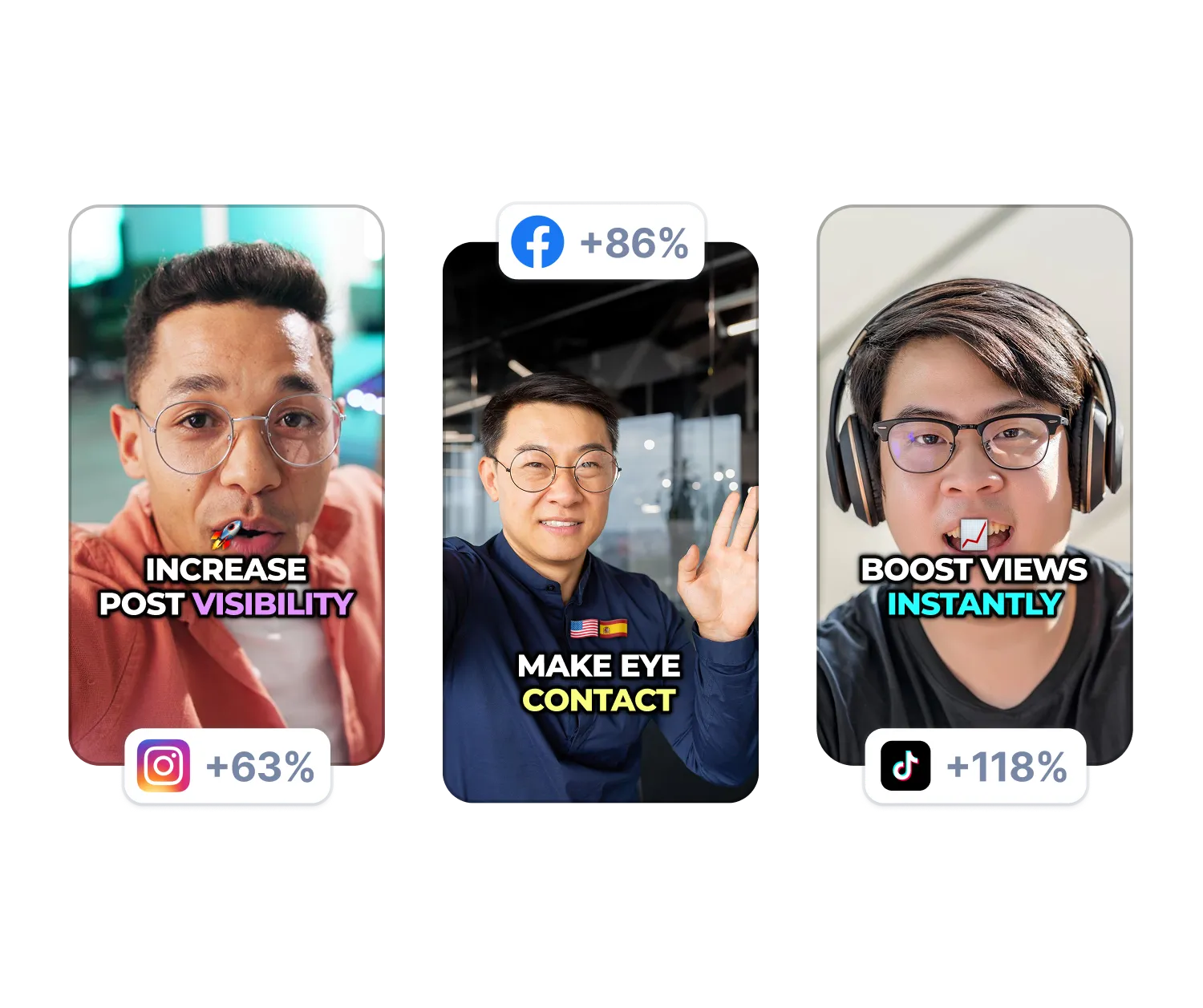
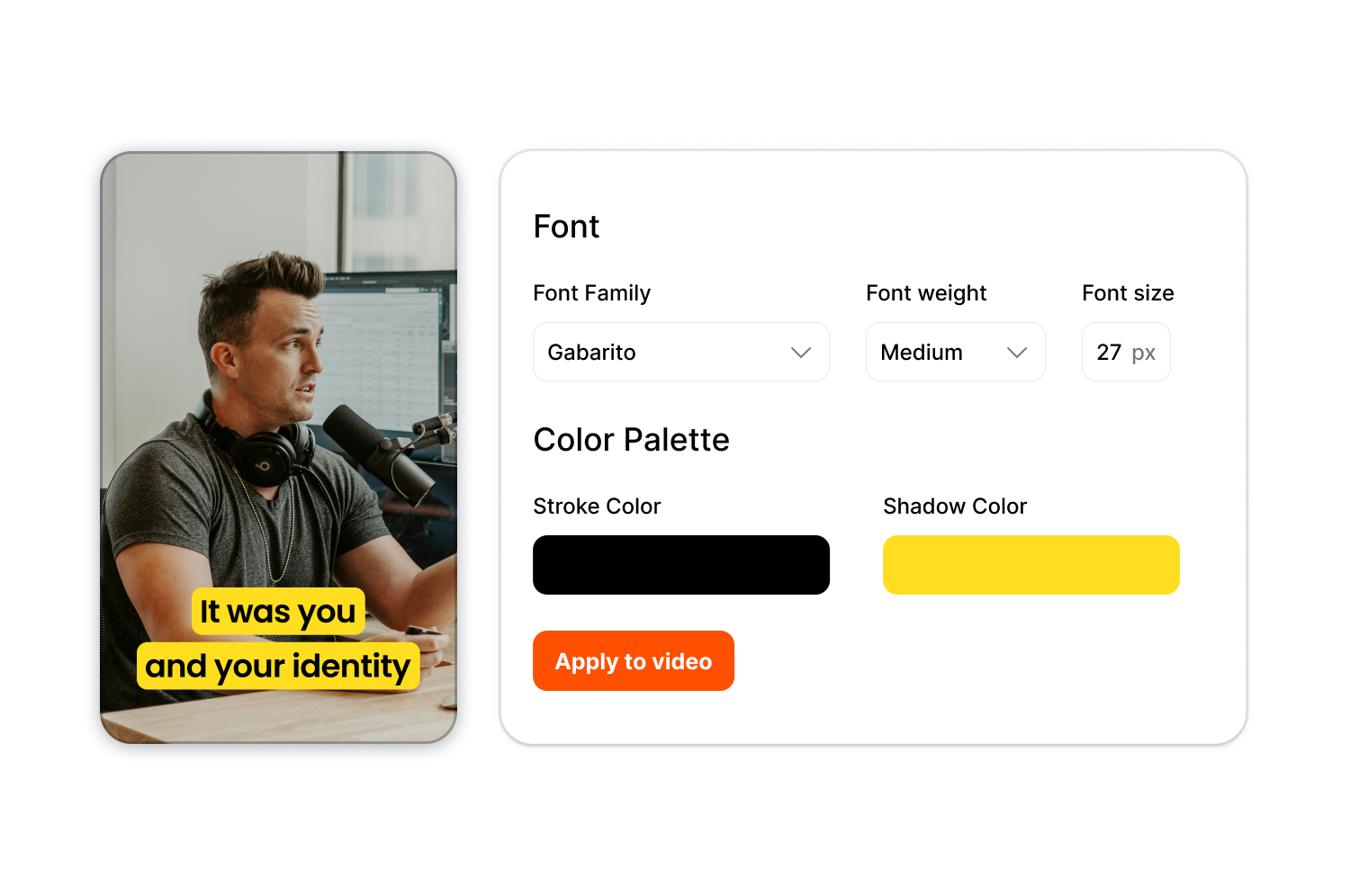
Uložte si typografii, barvy a styly titulků jednou do sady Brand Kit a poté je okamžitě použijte na jakékoli video, abyste zajistili jednotný vzhled napříč sériemi obsahu nebo u více klientů.
Postupujte podle tří kroků od surového záznamu až po hotové video.
Vyzkoušejte funkci AI Auto Edit hned teď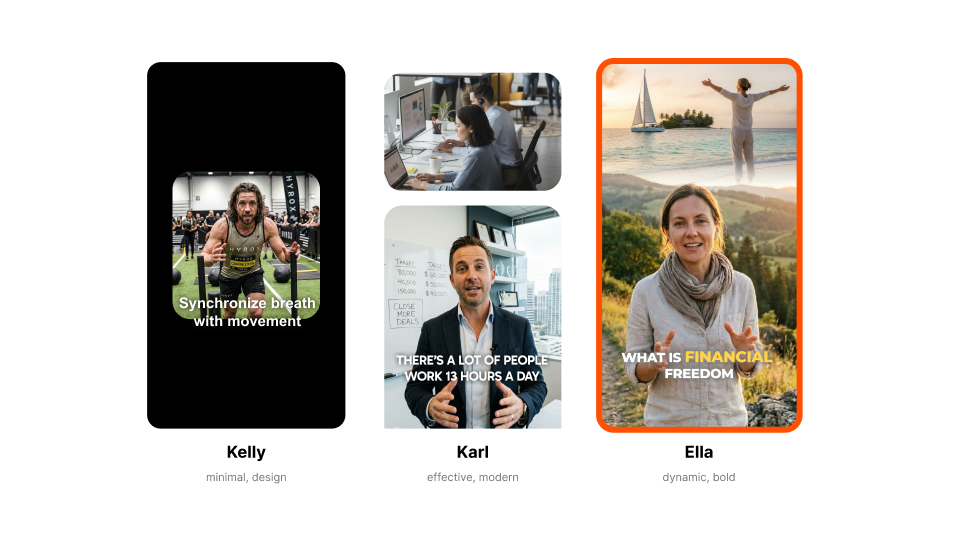
Vyberte si šablonu, jako je Kelly (minimalistická), Karl (moderní) nebo Ella (výrazná). Každý styl určuje vzhled popisku, animace a efekty.

Přetáhněte sem svůj video soubor nebo vložte odkaz. Nahrajte jakýkoli standardní formát v libovolném poměru stran.
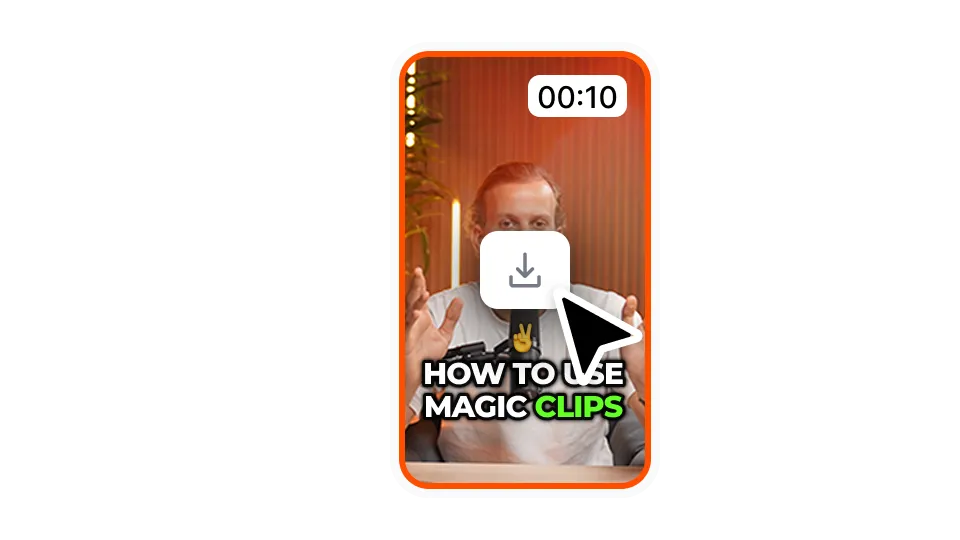
Stáhněte si video ve svém preferovaném rozlišení a poměru stran. Vaše video je připraveno pro TikTok, YouTube, Instagram nebo LinkedIn.
AI Auto Edit je určen tvůrcům a týmům, kteří chtějí publikovat více obsahu, aniž by museli trávit hodiny prací na časové ose.
Vyzkoušejte funkci automatické úpravy hned teďKaždodenní zveřejňování příspěvků znamená každodenní střih, a právě to bývá nejčastěji úzkým hrdlem. Náš automatický editor videí zkrátí čas strávený střiháním, takže se můžete soustředit na natáčení a rozšiřování své sledující základny.
Proměňte dlouhé nahrávky v propracované klipy, které již obsahují titulky a doplňkový záběrový materiál. Exportujte více klipů na jednu epizodu bez nutnosti ruční úpravy.
Přehledné titulky zajišťují přístupnost lekcí a doplňkový záběrový materiál (B-roll) zajišťuje jejich vizuální atraktivitu, a to bez nutnosti najímat střihačský tým. Exportujte obsah na jakoukoli platformu bez nutnosti najímat střihačský tým.
Jedna sada pro každého klienta znamená konzistentní výsledek, aniž byste museli pro každé video znovu vytvářet styly. Rozšiřte produkci, aniž byste přetěžovali své střihače.
Ukázky produktů, reklamy ve stylu UGC i videa s důkazy z sociálních sítí – to vše vyžaduje stejnou úroveň propracovanosti. Upravujte obsahovou knihovnu hromadně a spouštějte kampaně rychleji.
Využijte náš automatický editor videa k vytvoření prvních sestřihů, aby se vaši střihači mohli soustředit na kreativní rozhodnutí. Hrubé sestřihy, které dříve trvaly hodiny, nyní zvládnete za pár minut.
Funkce AI Auto Edit je součástí komplexního editoru short-form od společnosti Submagic.

Vytvořte titulky během několika minut. Přidejte animované emotikony, barvy a GIFy
Jedním kliknutím přidejte do videa B-Roll bez poplatků nebo importujte vlastní klipy.
Vytvářejte plynulé přechody meziB-rolls, animujte emotikony se zvukem.
Generujte pětihvězdičkové přechody mezi klipy a vytvářejte dynamická videa.
Mávnutím kouzelného proutku odstraníte z videa veškeré ticho.
Oživte své video přidáním obrázků a GIFů jediným kliknutím
Přidejte zvukové efekty pro navození atmosféry a zvýraznění klíčových momentů.
Jako třešničku na dortu můžete do videa během několika sekund přidat hudební pozadí.
Vytvořte popis a hashtagy pro optimalizaci videí na sociálních sítích.
Vytvářejte krátká, poutavá videa z delšího obsahu pomocí několika kliknutí.
Vyjměte a vylepšete nejlepší momenty z videí, abyste dosáhli maximálního účinku.
Nechte umělou inteligenci vylepšit vaše videa pomocí profesionálních přechodů a úprav načasování.
Nechte si automaticky přeložit svá videa do více než 100 jazyků s titulky synchronizovanými s vaším hlasem a stylem.

The caption generator is 98% accurate across 123 languages. The interface shows exact accuracy percentage for each video. Adjust any word inline if needed.
Ano. Začněte s libovolnou šablonou nebo si vytvořte vlastní. Upravte typografii, barvy, stíny, obrysy, umístění a animace. Nahrajte vlastní písma a získejte tak plnou kontrolu nad svou značkou.
Podporovány jsou všechny standardní formáty. Můžete exportovat v rozlišení od 720p až po 4K v pěti poměrech stran: 9:16, 4:5, 1:1, 16:9 nebo v původním poměru stran.
Většina videí trvá méně než 5 minut. Titulky se vygenerují zhruba za minutu a doplňkové záběry i efekty se přidají okamžitě.
Ano. Můžete využít vestavěnou knihovnu záběrů, nahrát vlastní klipy nebo kombinovat obojí.
Odstraňuje ticho, výplňová slova a trapné pauzy. Vyberte si z režimů detekce „Přirozený“, „Rychlý“ nebo „Extra rychlý“.
Ano. Vytvořte si sadu stylů značky s vlastní typografií, barvami a styly. Tu pak můžete okamžitě použít na jakékoli video.
Ano. Stáhněte si soubor ve formátu SRT nebo exportujte video s titulky pouze na zeleném nebo modrém pozadí.
Přijímají se videa v délce až 2 hodiny.
Začnete zdarma s omezeným počtem exportů. Až budete potřebovat více, přejděte na vyšší tarif.
Submagic je nejlepší nástroj s umělou inteligencí, který během několika sekund vytvoří poutavá videa short-form pro týmy a firmy.