





Submagicは、チームやビジネス向けに魅力的なshort-form ビデオを数秒で作成できる最高のAIツールです。



世界中の優秀なエージェンシーやビデオ編集者から信頼されています。


「AI Auto Edit」は、音声からキャプションを生成し、絵文字を追加し、キーワードをハイライト表示し、アニメーションを適用し、文脈に合わせたBロールを挿入します。スタイルを選択し、映像をアップロードするだけで、数分で完成度の高い動画をエクスポートできます。
同じエディタ内で、ズーム効果の追加、無音部分の削除、音声のノイズ除去、アイコンタクトの修正を行うことができます。
アップロードすると、キャプションとBロールが自動的に生成されます。以下の「Magic Tools」は、ワンクリックで実行できます。
字幕は98%の精度で話の内容に自動的に同期され、数十種類のテンプレートから選択したり、自分のスタイルに合わせて書体、色、アニメーションをカスタマイズしたりすることができます。


AIがトランスクリプトを読み取り、内蔵のストックライブラリやユーザーがアップロードした動画から関連するクリップを挿入します。シンプルなスライダーで、Bロールの表示頻度を調整できます。
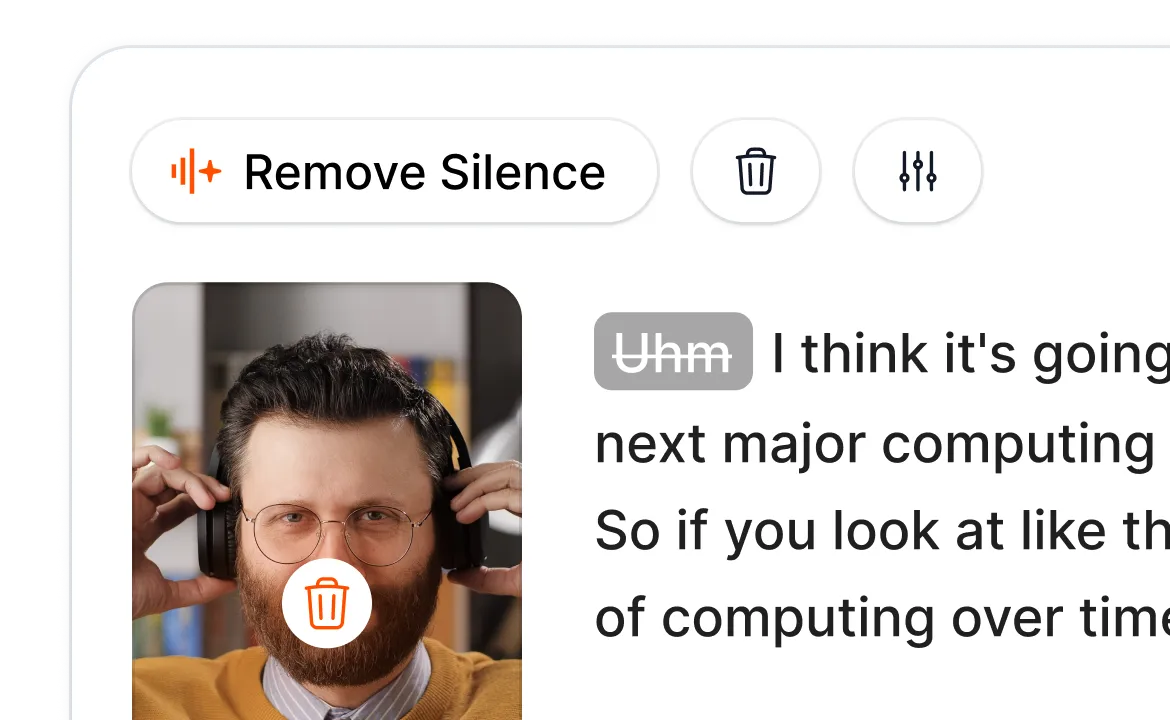
Smart Trimは、音声を分析し、ワンクリックで無音部分、つなぎ言葉、失敗したテイクを削除します。編集のきめ細かさに応じて、「ナチュラル」、「ファスト」、「エクストラファスト」の各モードから選択できます。
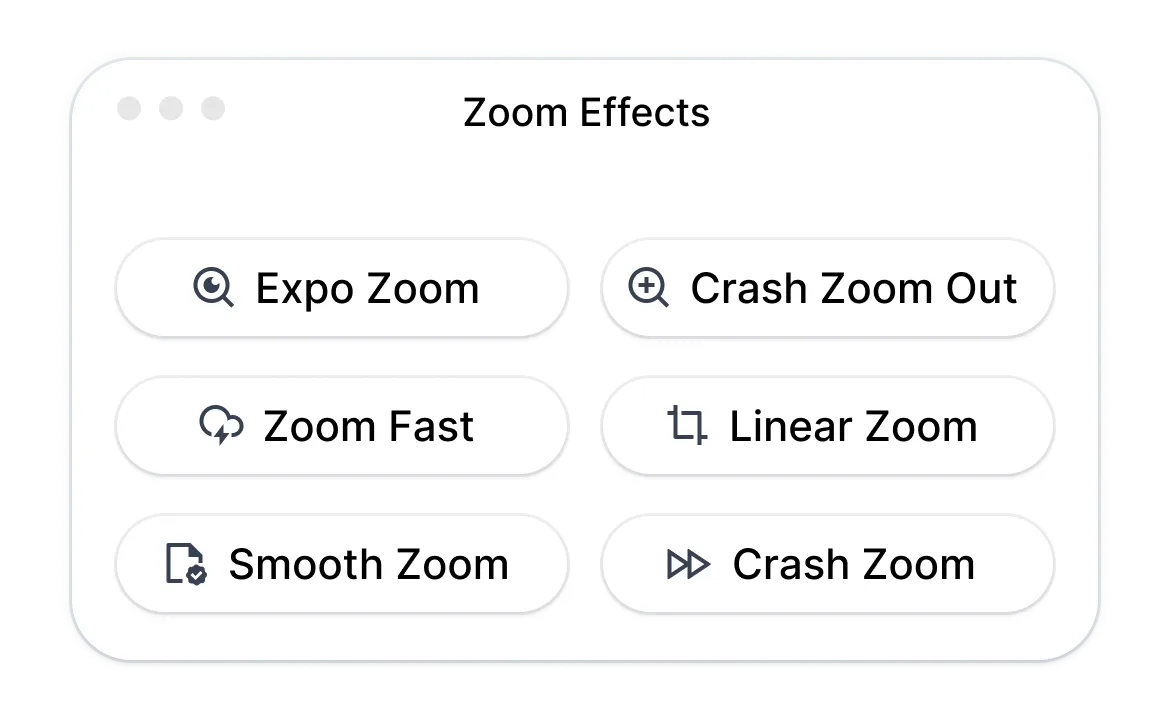
Magic Zoomは、トランスクリプトに基づいて重要な場面に強調効果を追加します。4つのスタイル(スムーズ、クラッシュ、エクスポ、リニア)が用意されており、AIが提案する配置位置は、手動で調整したり追加したりすることができます。
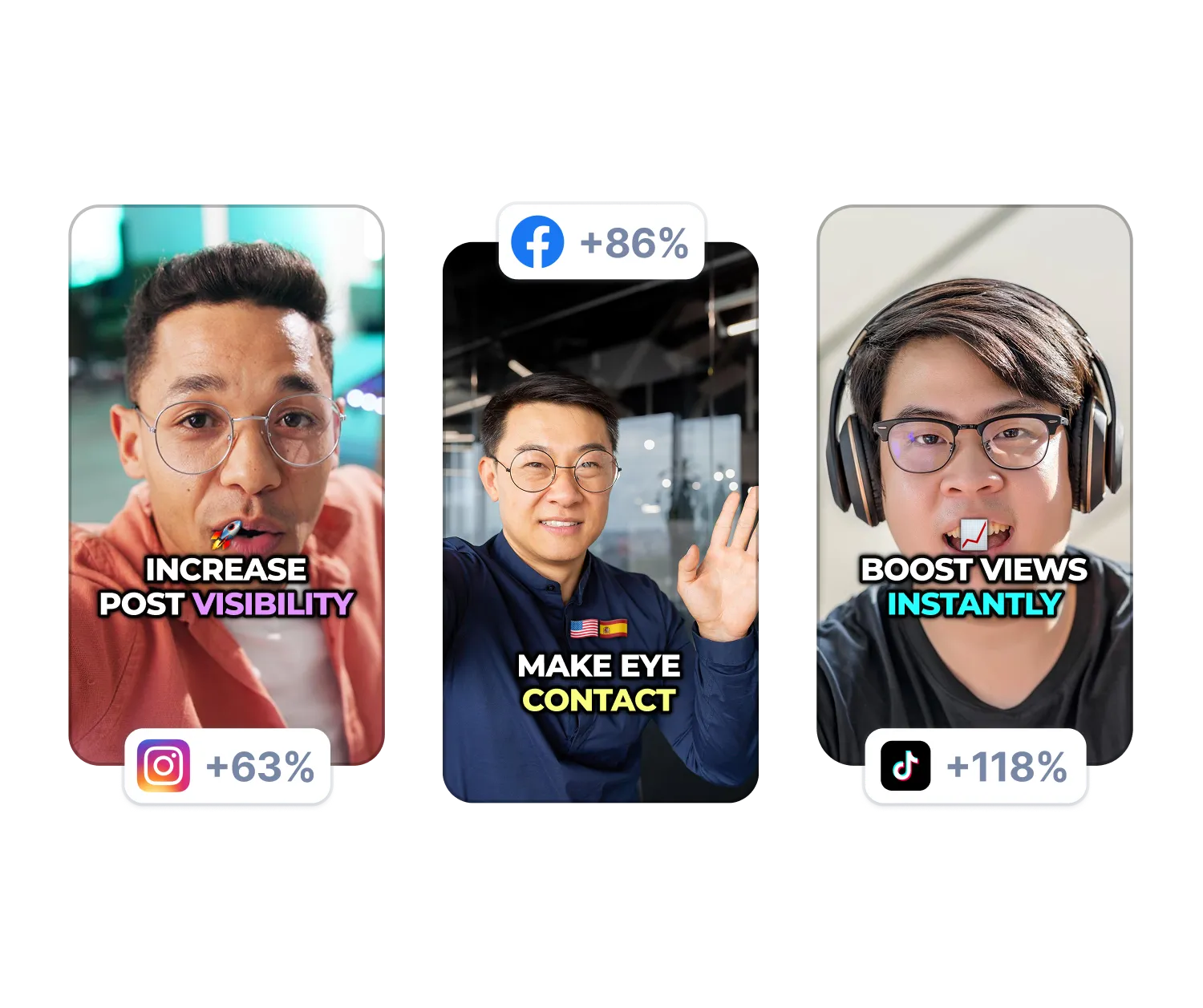
AIが背景の雑音を除去し、台本を読んでいるときでもカメラをまっすぐ見据えられるよう視線を調整します。どちらもワンクリックで実行できます。
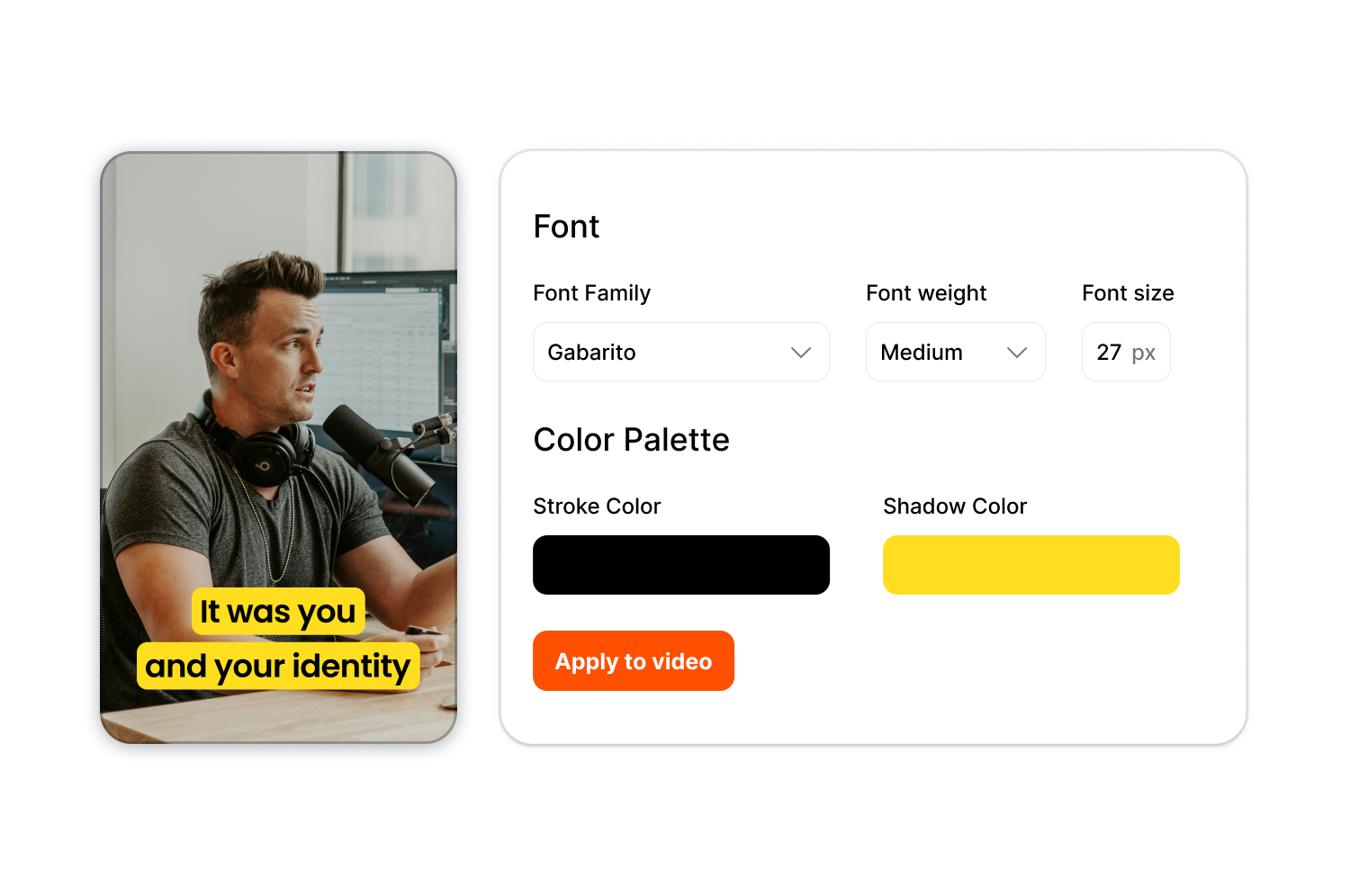
タイポグラフィ、色、キャプションのスタイルを「ブランドキット」に一度保存しておけば、どの動画にも即座に適用でき、コンテンツシリーズ全体や複数のクライアントにわたって統一感のある仕上がりを実現できます。
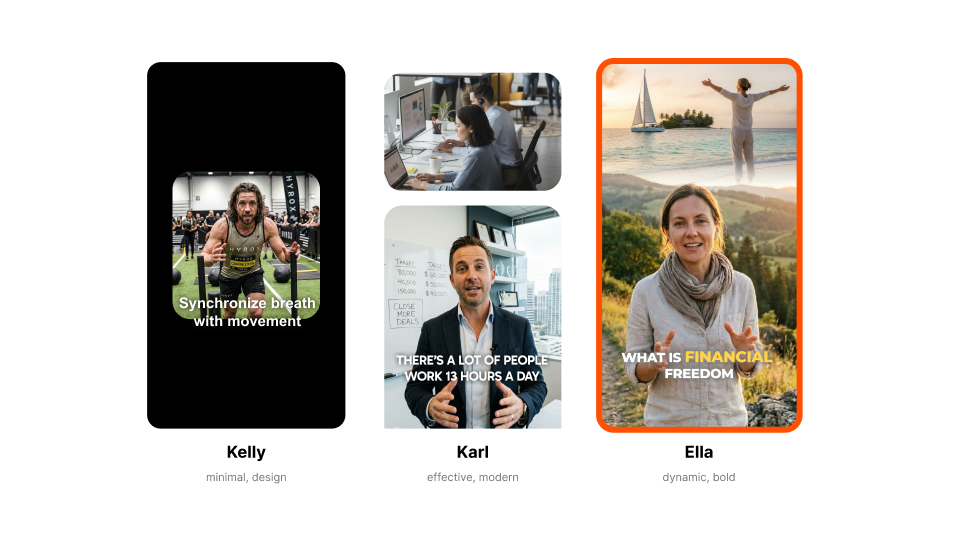
「Kelly(ミニマル)」、「Karl(モダン)」、「Ella(大胆)」などのテンプレートを選んでください。各スタイルによって、キャプションのデザイン、アニメーション、エフェクトが決まります。

動画ファイルをドラッグ&ドロップするか、リンクを貼り付けてください。標準的な形式であれば、アスペクト比を問わずアップロードできます。
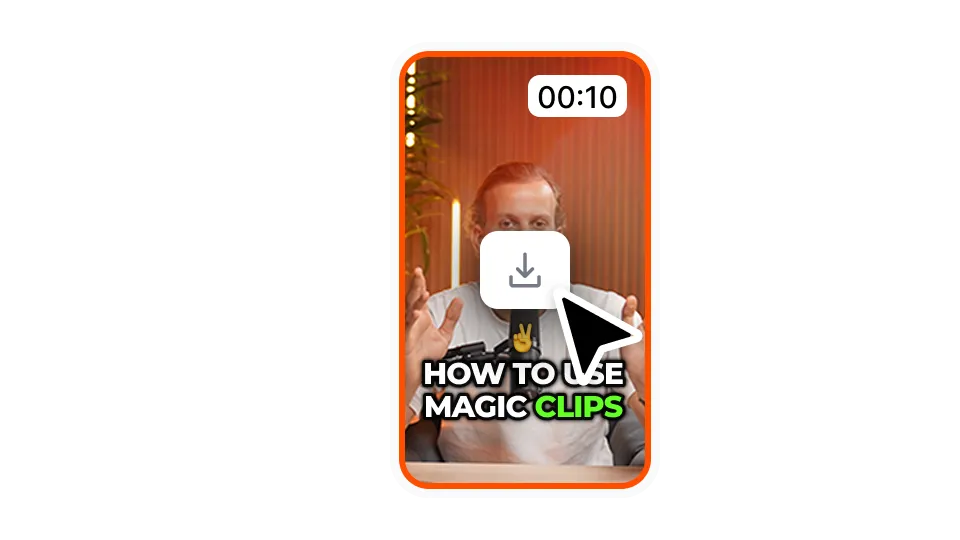
お好みの解像度とアスペクト比でダウンロードしてください。これで、TikTok、YouTube、Instagram、LinkedInに投稿できる動画が完成しました。
「AI Auto Edit」は、タイムラインでの作業に何時間も費やすことなく、より多くの投稿を行いたいクリエイターやチームを支援します。
今すぐ自動編集をお試しください毎日投稿するには毎日編集が必要ですが、そこがたいていの場合、ボトルネックになります。当社の自動動画編集ツールを使えば、編集時間を大幅に短縮できるため、撮影や視聴者層の拡大に集中できます。
長時間の録画を、キャプションやBロールがすでに適用された完成度の高いクリップに変換します。手動での編集を必要とせずに、1エピソードあたり複数のクリップをエクスポートできます。
すっきりとしたキャプションはレッスンを分かりやすくし、Bロールは編集チームを雇うことなく、視覚的な魅力を高めます。編集チームを雇うことなく、あらゆるプラットフォーム向けにエクスポートできます。
クライアント1社につき1つのキットを用意することで、動画ごとにスタイルを作り直す必要がなく、一貫性のある仕上がりを実現できます。編集者の負担を増やすことなく、制作規模を拡大できます。
製品デモ、UGC風の広告、ソーシャルプルーフ動画は、いずれも同等の完成度が必要です。コンテンツライブラリを一括編集して、キャンペーンをより迅速に開始しましょう。
当社の自動動画編集ツールを使ってラフカットを作成すれば、編集担当者はクリエイティブな判断に集中できます。以前は数時間かかっていたラフカットも、今では数分で完了します。
「AI Auto Edit」は、Submagic社のshort-form 編集ソフトの一部です。

数分で字幕を作成アニメーション絵文字、色、GIFを追加
ロイヤリティフリーのBロールをビデオに追加したり、独自のクリップをワンクリックでインポートできます。
B-rolls間のスムーズなトランジションを作成し、サウンドで絵文字をアニメーション化。
クリップ間に5つ星のトランジションを生成して、ダイナミックなビデオを作成。
魔法の杖を振るだけで、ビデオから無音部分をすべて取り除きます。
ワンクリックで画像やGIFを追加して、ビデオを活気づける。
サウンドエフェクトを追加して、雰囲気を作り出し、重要な瞬間を際立たせる。
数秒であなたのビデオに音楽の背景を追加して、チェリーのように。
ソーシャルメディアで動画を最適化するための説明文とハッシュタグを作成します。
数回クリックするだけで、長いコンテンツから短く魅力的なビデオクリップを作成できます。
ビデオから最高の瞬間を抽出して強調し、最大限のインパクトを与えます。
AIを活用して、プロ並みのトランジションやタイミング調整で動画をさらに魅力的に仕上げましょう。
動画の自動翻訳を100以上の言語で利用でき、音声や話し方に合わせた字幕を同期させることができます。

The caption generator is 98% accurate across 123 languages. The interface shows exact accuracy percentage for each video. Adjust any word inline if needed.
はい。既存のテンプレートから始めるか、独自のテンプレートを作成してください。タイポグラフィ、色、影、ストローク、位置、アニメーションなどを調整できます。カスタムフォントをアップロードして、ブランドイメージを完全にコントロールしましょう。
すべての標準フォーマットに対応しています。720pから4Kまで、9:16、4:5、1:1、16:9、または元のアスペクト比の5種類のアスペクト比でエクスポートできます。
ほとんどの動画は5分以内に完成します。字幕は約1分で生成され、Bロールやエフェクトは即座に適用されます。
はい。標準で搭載されているストックライブラリを使用したり、ご自身のクリップをアップロードしたり、あるいはその両方を組み合わせて使用したりできます。
沈黙やつなぎ言葉、不自然な間を取り除きます。「ナチュラル」、「ファスト」、「エクストラファスト」の3つの検出モードからお選びいただけます。
はい。タイポグラフィ、配色、スタイルをまとめたブランドキットを作成しましょう。それをあらゆる動画に即座に適用できます。
はい。SRTファイルとしてダウンロードするか、緑または青の背景に字幕のみが表示された状態で動画をエクスポートできます。
2時間までの動画を受け付けています。
最初は無料で、エクスポート機能に制限があります。さらに機能が必要な場合は、アップグレードしてください。
Submagicは、チームやビジネス向けに魅力的なshort-form ビデオを数秒で作成できる最高のAIツールです。