





सबमैजिक आकर्षक तस्वीरें बनाने के लिए सबसे अच्छा एआई टूल है short-form टीमों और व्यवसायों के लिए सेकंडों में वीडियो।



दुनिया भर की सर्वश्रेष्ठ एजेंसियों और वीडियो संपादकों द्वारा विश्वसनीय


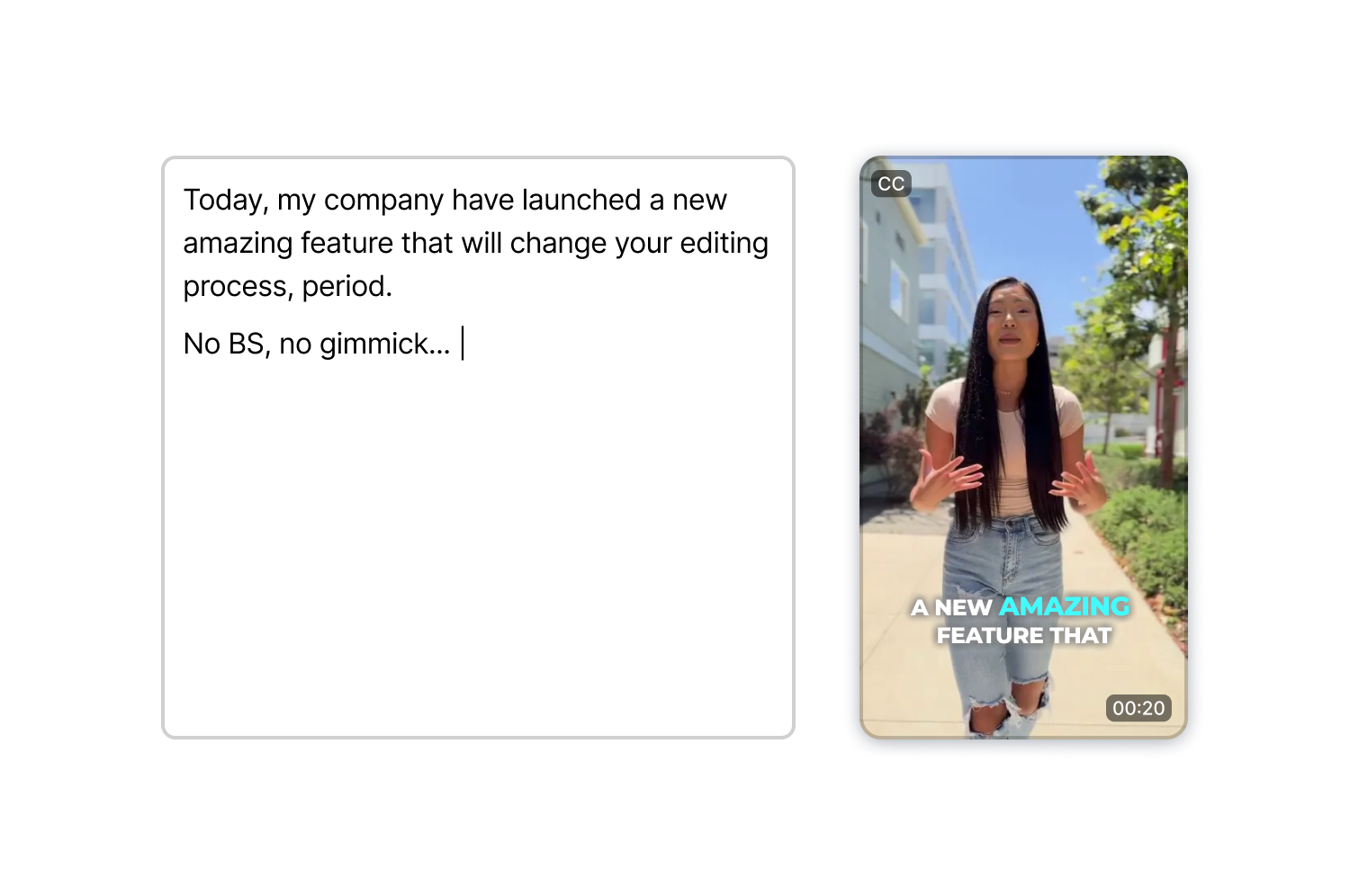
अपनी स्क्रिप्ट लिखें, एक अवतार चुनें, एक आवाज़ चुनें और एक्सपोर्ट करें। AI Actors Studio लिप-सिंक, भाव-भंगिमा और डायलॉग डिलीवरी को संभालता है, इसलिए आपको एक भी टेक शूट करने की ज़रूरत नहीं है।
इसमें एक संपूर्ण वीडियो एडिटर भी शामिल है। अपना क्लिप जेनरेट करें, फिर उसी वर्कस्पेस में कैप्शन, बी-रोल और इफेक्ट्स जोड़ें।
एआई एक्टर्स स्टूडियो केवल टेक्स्ट से ही प्रस्तुतकर्ता क्लिप तैयार करता है, इसलिए आपको उपकरण सेटअप, प्रकाश समायोजन और कई रीटेक की आवश्यकता नहीं होती है जो आमतौर पर फिल्मांकन के लिए आवश्यक होते हैं।
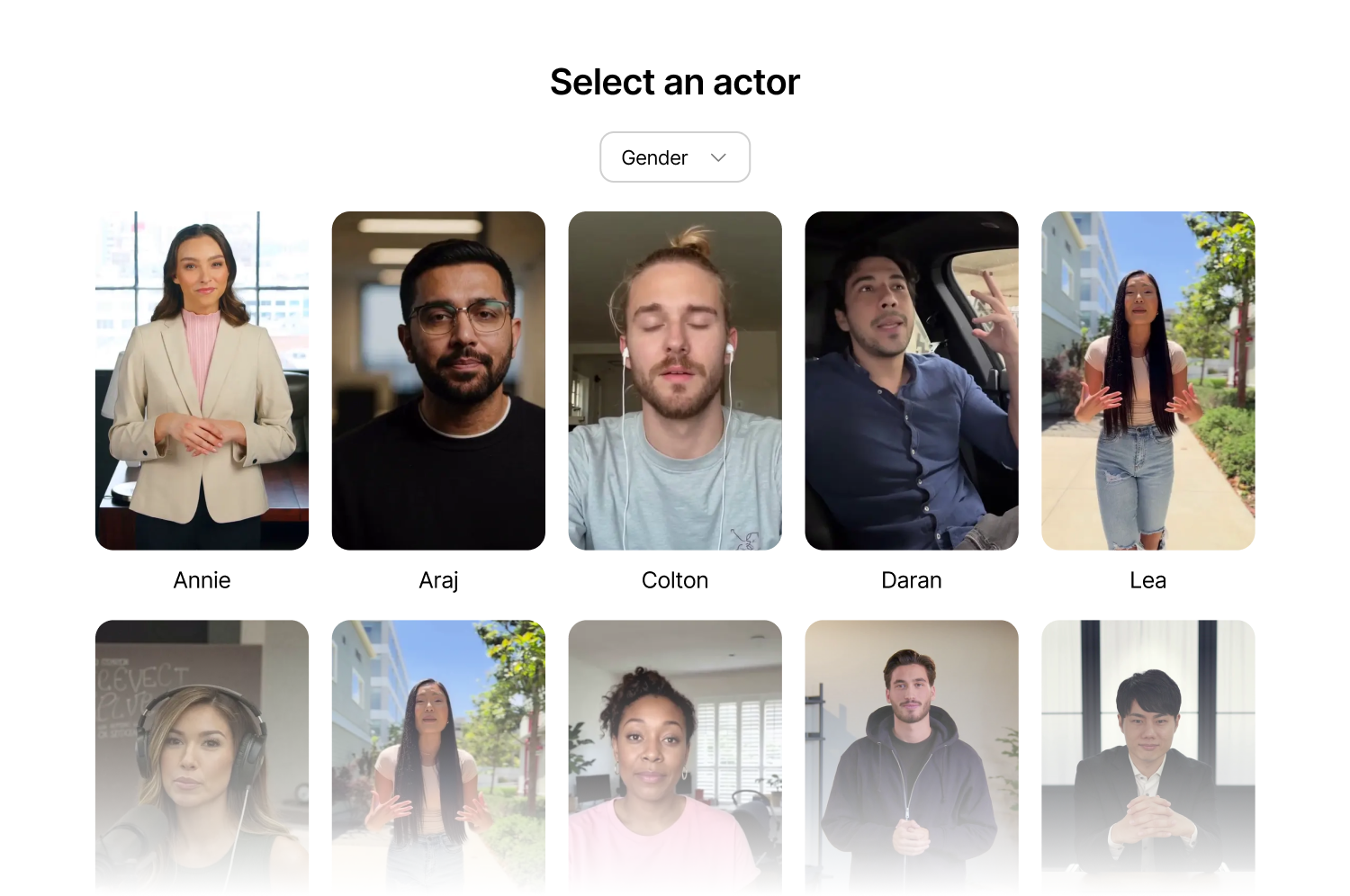
लिंग के अनुसार फ़िल्टर करें, एक पोज़ चुनें (खड़े होना, बैठना, ऑफिस, कैज़ुअल, आउटडोर), और वीडियो जनरेट करें। लिप-सिंक आपके स्क्रिप्ट के अनुसार स्वाभाविक रूप से चलता है, जिससे अंतिम वीडियो विश्वसनीय लगता है।
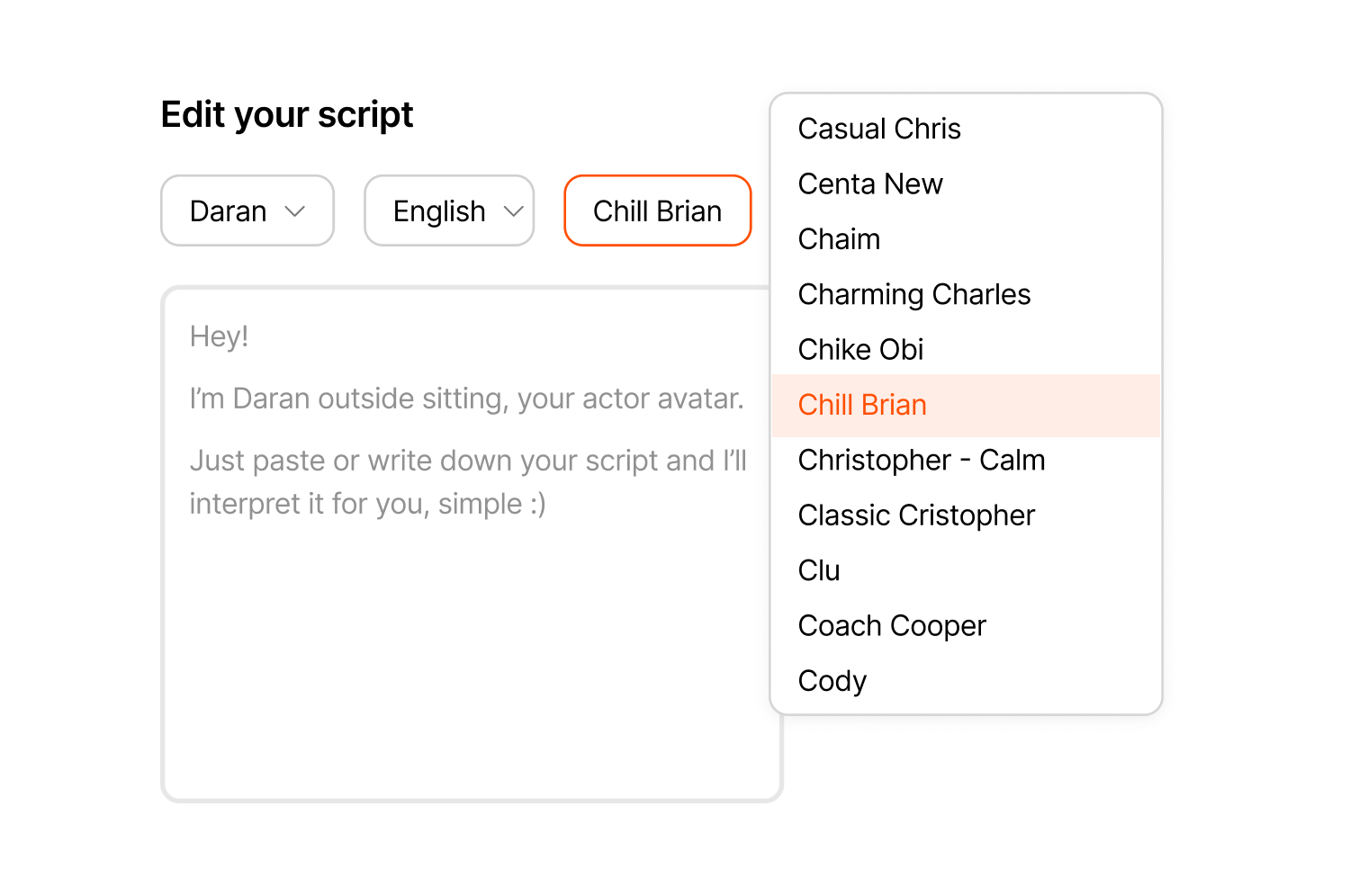
उच्चारण, स्वर या ऊर्जा स्तर के आधार पर आवाज़ों को ब्राउज़ करें और अपनी सामग्री के अनुसार किसी भी आवाज़ को किसी भी प्रस्तुतकर्ता के साथ मिलाएं, चाहे वह शांत भाव से समझाने वाला भाषण हो या ऊर्जावान उत्पाद लॉन्च।
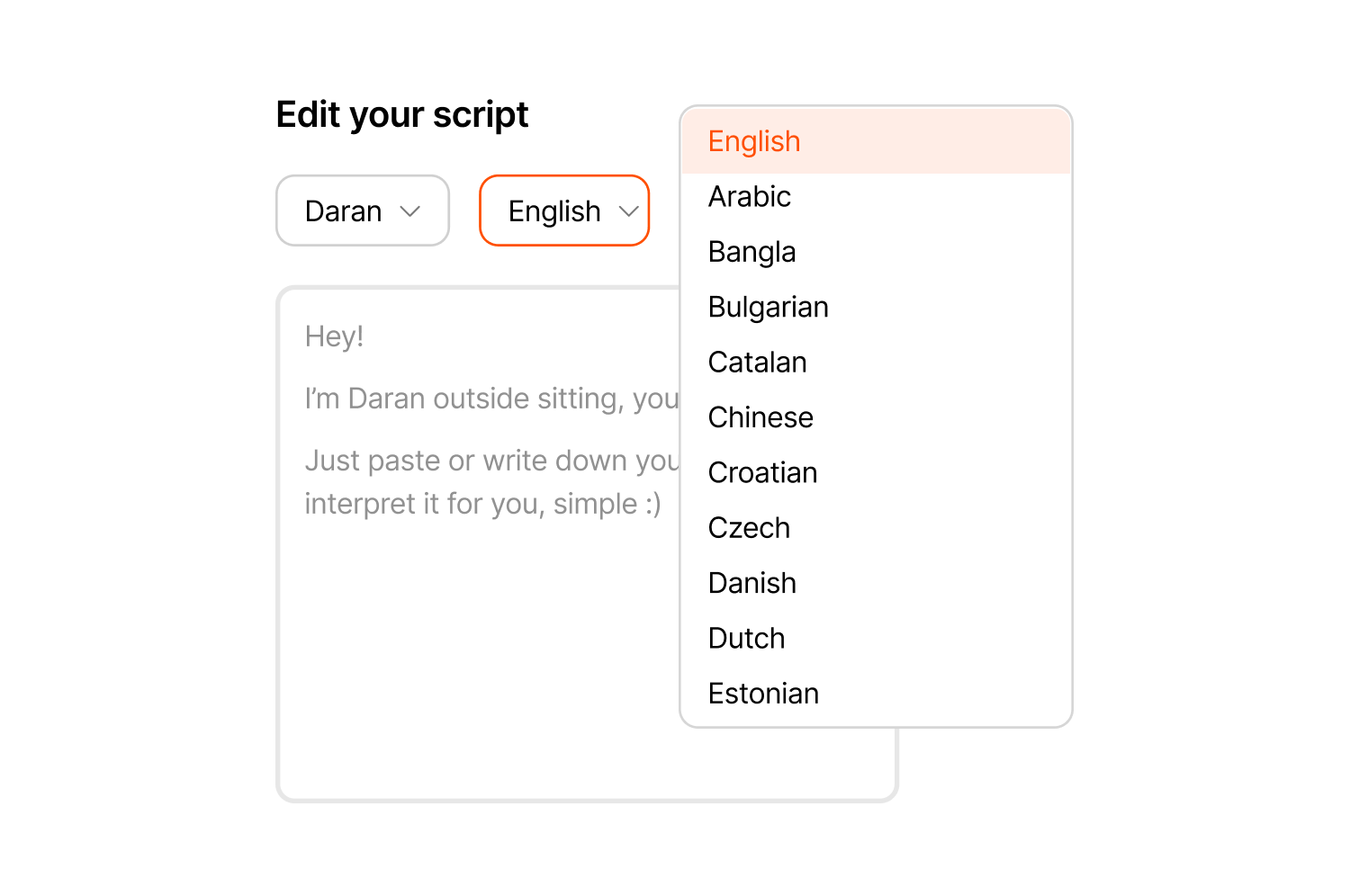
अंग्रेजी, स्पेनिश, फ्रेंच, जर्मन, पुर्तगाली और अन्य भाषाओं में ऐसे वीडियो बनाएं जिनमें मूल निवासियों जैसे लहजे हों, ताकि एक ही स्क्रिप्ट को एक ही प्रस्तुतकर्ता के साथ कई बाजारों तक पहुंचाया जा सके।
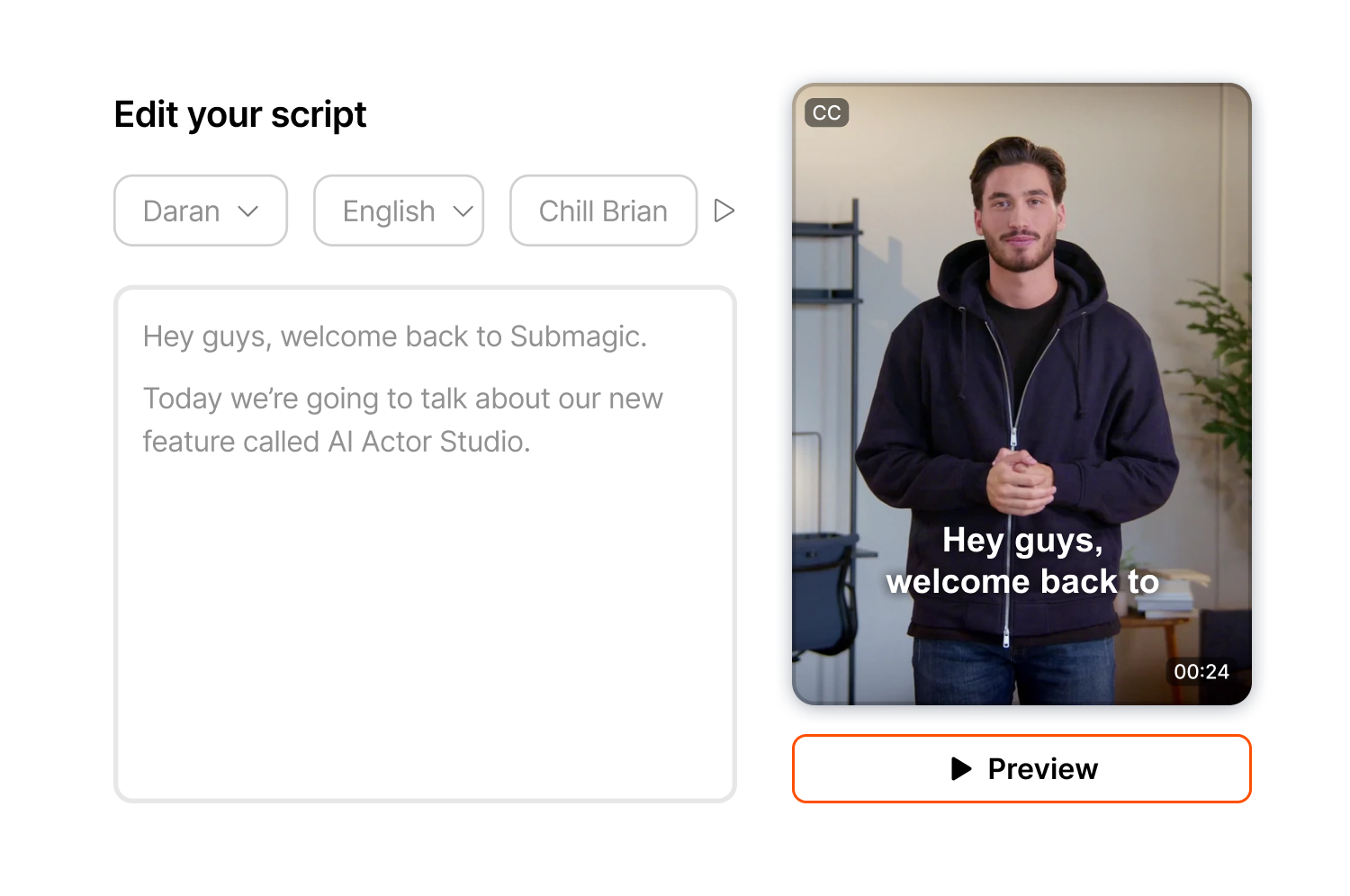
वीडियो को फाइनल करने से पहले उसकी गति और लहजे की जांच करने के लिए उसका पूर्वावलोकन करें, और यदि आवश्यक हो तो समय या प्रस्तुति को समायोजित करें क्योंकि पूर्वावलोकन निःशुल्क हैं और क्रेडिट का उपयोग केवल जनरेट बटन दबाने पर ही होता है।
आपके द्वारा जनरेट किया गया क्लिप उसी एडिटर में आ जाता है जहां आप ऐप्स स्विच किए बिना या वर्कस्पेस छोड़े बिना कैप्शन, बी-रोल, ज़ूम इफेक्ट्स और ट्रांज़िशन जोड़ सकते हैं।
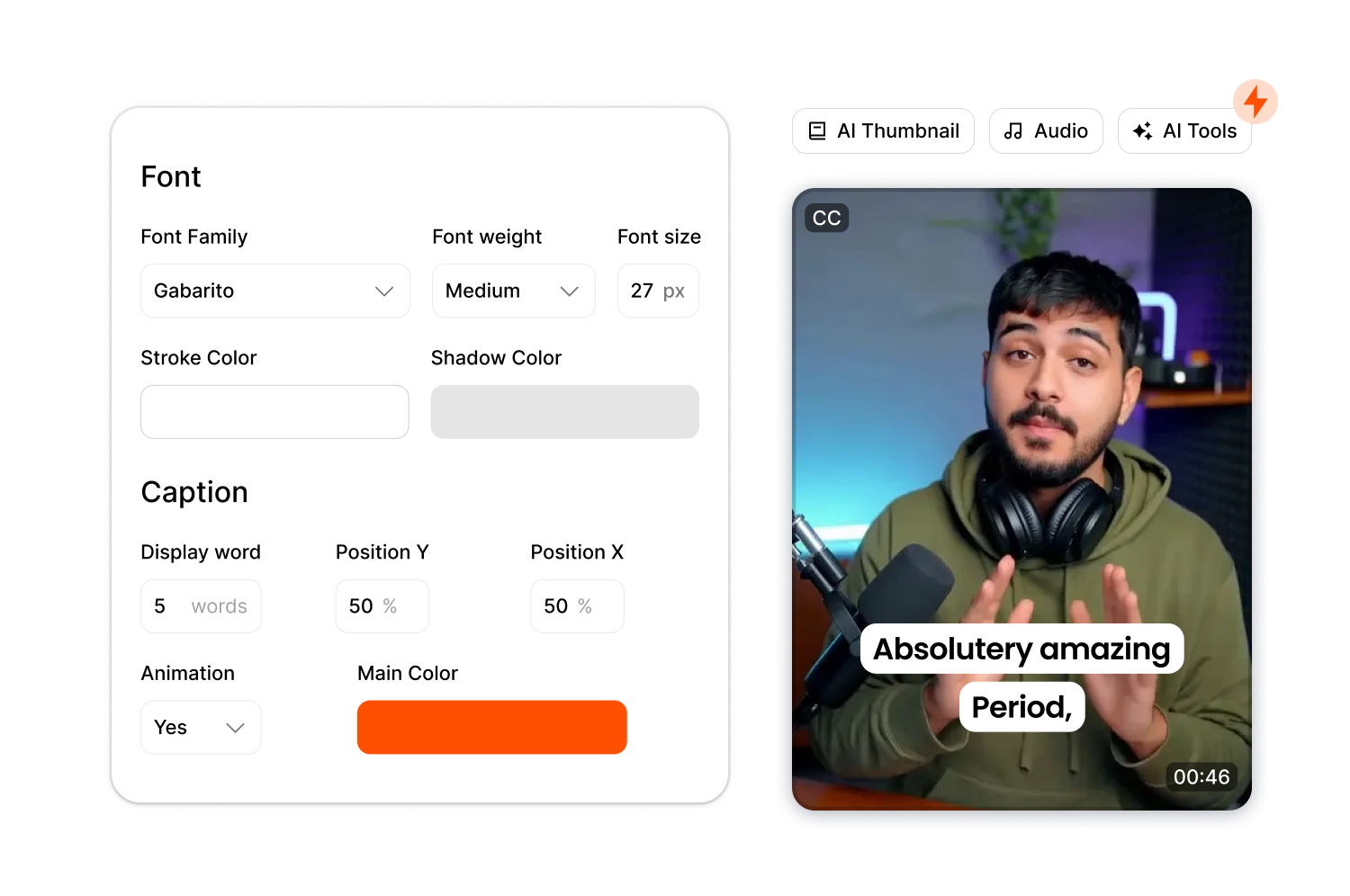
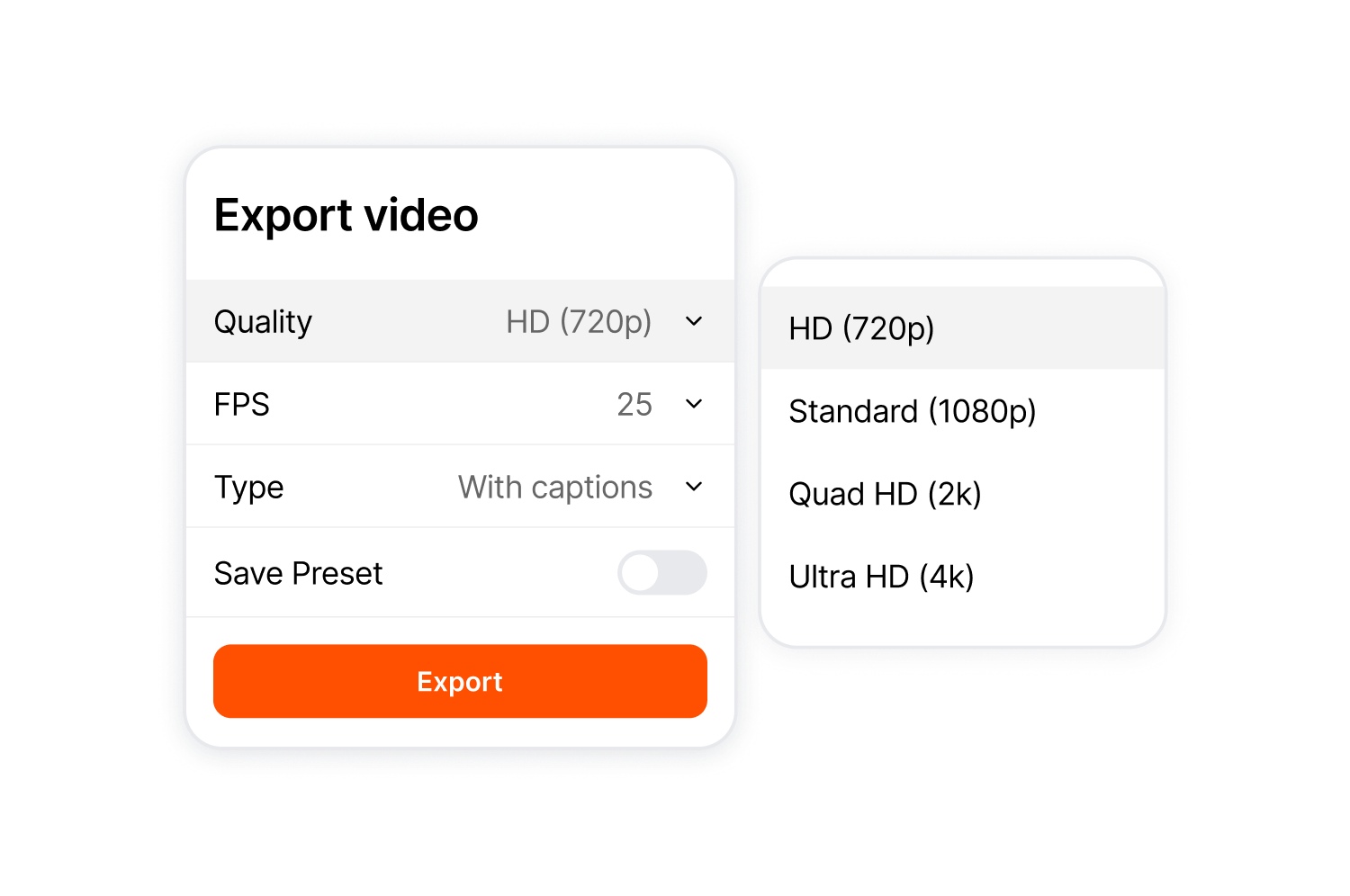
9:16, 4:5, 1:1, 16:9 या मूल प्रारूप में निर्यात करें। गुणवत्ता 720p से 4K तक बढ़ाई जा सकती है, और आप ThumbMagic का उपयोग करके अपने सर्वश्रेष्ठ फ्रेम से थंबनेल बना सकते हैं।
स्क्रिप्ट से लेकर तैयार वीडियो तक पहुंचने के लिए इन तीन चरणों का पालन करें।
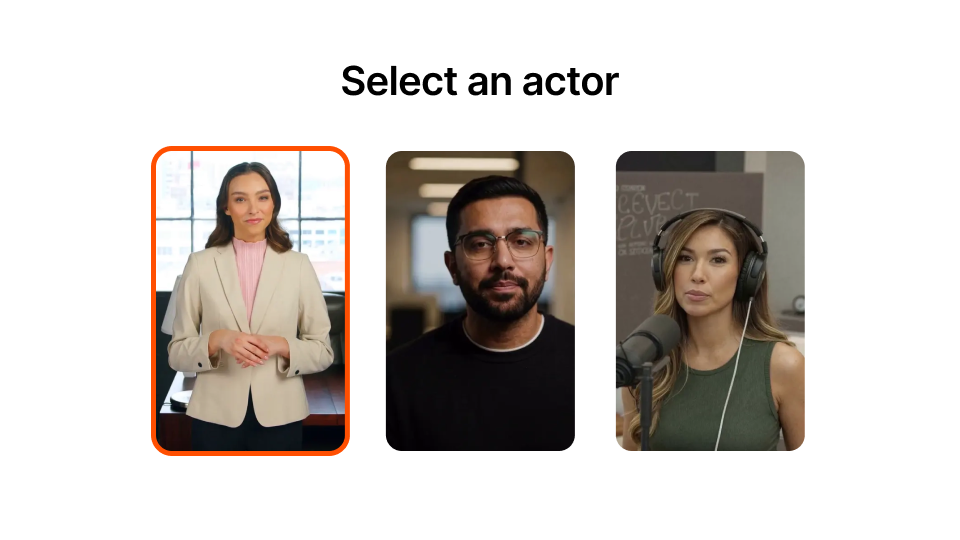
लाइब्रेरी ब्राउज़ करें और लिंग, शैली या सेटिंग के आधार पर फ़िल्टर करें। प्रत्येक कलाकार के पास कई पोज़ और वातावरण विकल्प उपलब्ध हैं।
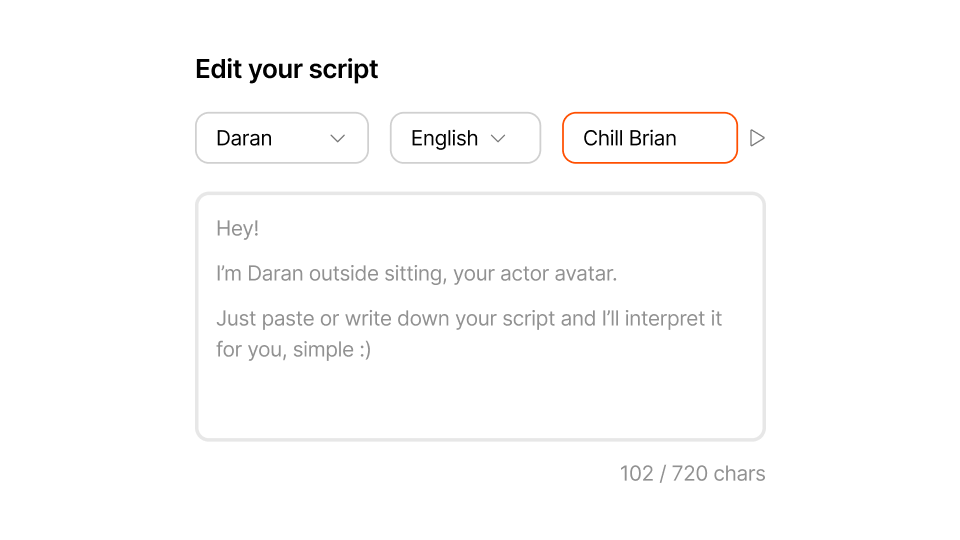
अधिकतम 720 अक्षर दर्ज करें। आवाज चुनें और जनरेट करने से पहले उसका पूर्वावलोकन करें।
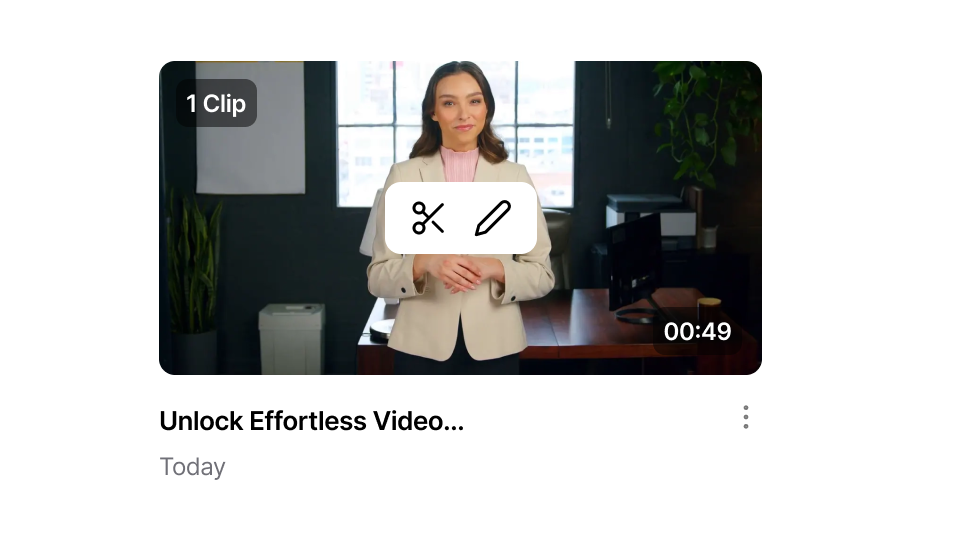
जनरेट बटन दबाएं और एक मिनट से भी कम समय तक प्रतीक्षा करें। यदि आवश्यक हो, तो उसी वर्कस्पेस में संपादन करें। तैयार होने पर एक्सपोर्ट करें।
एआई एक्टर्स स्टूडियो उन रचनाकारों और टीमों की सेवा करता है जो बिना प्रोडक्शन के एआई प्रवक्ता वीडियो बनाना चाहते हैं।
परिचय उत्पन्न करें, hooks और खुद फिल्माए बिना ही प्रेजेंटर क्लिप बनाएं। हर बार कैमरा सेट किए बिना ही ज़्यादा पोस्ट करें।
प्रत्येक मॉड्यूल के लिए एक ही एआई अवतार और सुसंगत रूप के साथ इंट्रो और आउट्रो क्लिप बनाएं। अंतरराष्ट्रीय छात्रों तक पहुंचने के लिए इन्हें कई भाषाओं में तैयार करें।
बिना किसी कलाकार को बुक किए या शूटिंग शेड्यूल किए सोशल मीडिया विज्ञापन, उत्पाद टीज़र और घोषणाएँ बनाएँ। स्क्रिप्ट बदलें और वीडियो को पुनः जेनरेट करें।
अपनी विशेषज्ञता को एक बार लिखें और एआई को हर वीडियो में इसे लगातार प्रस्तुत करने दें।
किसी भी भाषा में उत्पाद संबंधी जानकारी, अक्सर पूछे जाने वाले प्रश्नों के वीडियो और लॉन्च संबंधी घोषणाएँ बनाएँ। स्क्रिप्ट एक बार लिखें और उसे अपने ग्राहकों द्वारा बोली जाने वाली किसी भी भाषा में प्रकाशित करें।
शूट बुक किए बिना या कलाकारों को कोऑर्डिनेट किए बिना क्लाइंट का काम डिलीवर करें। स्क्रिप्ट बदलें, वीडियो को फिर से बनाएं और प्रोडक्शन के अतिरिक्त खर्चों के बिना डेडलाइन पूरी करें।
एआई एक्टर्स स्टूडियो, सबमैजिक के संपूर्ण नेटवर्क का हिस्सा है। short-form वीडियो संपादक।

मिनटों में अपने सबटाइटल बनाएं। एनिमेटेड इमोजी, रंग और GIF जोड़ें
अपने वीडियो में रॉयल्टी-मुक्त बी-रोल जोड़ें या एक क्लिक में अपनी स्वयं की क्लिप आयात करें।
के बीच सहज संक्रमण बनाएं B-rolls , ध्वनि के साथ इमोजी को एनिमेट करें।
गतिशील वीडियो बनाने के लिए क्लिप के बीच 5-स्टार संक्रमण उत्पन्न करें।
एक जादू की छड़ी की लहर के साथ अपने वीडियो से सभी चुप्पी हटा दें।
सिर्फ़ एक क्लिक से इमेज और GIF जोड़कर अपने वीडियो को ज़्यादा आकर्षक बनाएँ
माहौल बनाने और महत्वपूर्ण क्षणों को उजागर करने के लिए ध्वनि प्रभाव जोड़ें।
शीर्ष पर चेरी के रूप में सेकंड में अपने वीडियो में एक संगीत पृष्ठभूमि जोड़ें।
सोशल मीडिया पर अपने वीडियो को अनुकूलित करने के लिए विवरण और हैशटैग तैयार करें।
बस कुछ ही क्लिक से अपनी लंबी सामग्री से छोटे, आकर्षक वीडियो क्लिप बनाएं।
अधिकतम प्रभाव के लिए अपने वीडियो से सर्वोत्तम क्षणों को निकालें और उन्हें बेहतर बनाएँ।
पेशेवर ट्रांज़िशन और टाइमिंग एडजस्टमेंट के साथ एआई को अपने वीडियो को बेहतर बनाने दें।
अपने वीडियो को 100 से अधिक भाषाओं में स्वचालित रूप से अनुवादित करें, जिसमें आपकी आवाज और शैली के अनुरूप उपशीर्षक होंगे।

स्क्रिप्ट 720 अक्षरों तक की हो सकती है, जो लगभग 100 शब्दों के बराबर है। hooks इंट्रो, सोशल क्लिप और प्रोडक्ट टीज़र।
जी हाँ। इनमें मुंह की स्वाभाविक हलचल होती है और ये पेशेवर स्तर की गुणवत्ता के हैं। आप जनरेट करने से पहले इसका पूर्वावलोकन देख सकते हैं।
जी हां। प्रीव्यू देखने का कोई शुल्क नहीं है। क्रेडिट का उपयोग केवल जनरेट बटन दबाने पर ही होता है।
यह उसी एडिटर में खुलता है। वर्कस्पेस छोड़े बिना कैप्शन, बी-रोल, ज़ूम और इफ़ेक्ट जोड़ें।
नहीं। एआई एक्टर्स स्टूडियो इसके लिए बनाया गया है। short-form दो मिनट से कम समय की सामग्री के लिए। लंबी सामग्री के लिए, कई क्लिप बनाएं और उन्हें एडिटर में संयोजित करें।
हाँ। एक स्क्रिप्ट लिखें, एक अवतार चुनें, जनरेट करें, कैप्शन जोड़ें और एक्सपोर्ट करें।
जी हां। किसी भी अभिनेता को चुनिए और किसी भी आवाज के साथ उसकी जोड़ी बनाइए।
एआई एक्टर्स स्टूडियो अंग्रेजी, स्पेनिश, फ्रेंच, जर्मन, पुर्तगाली और अन्य कई भाषाओं को मूल उच्चारण के साथ सपोर्ट करता है।
जी हां। इनका इस्तेमाल विज्ञापनों, उत्पाद वीडियो और ग्राहकों के काम के लिए करें। प्रस्तुतकर्ताओं के पास व्यावसायिक उपयोग का लाइसेंस है।
प्रत्येक वीडियो के लिए स्क्रिप्ट की लंबाई के आधार पर क्रेडिट लगते हैं, आमतौर पर 3-4 क्रेडिट। प्रीव्यू देखने के लिए कोई शुल्क नहीं लगता।
सबमैजिक आकर्षक तस्वीरें बनाने के लिए सबसे अच्छा एआई टूल है short-form टीमों और व्यवसायों के लिए सेकंडों में वीडियो।