Create viral shorts 10x faster with AI

Turn raw footage into scroll-stopping shorts in just a few clicks. Join 4M+ creators saving 10+ hours every week with Submagic.

Create Viral Shorts
Try it for free

FEATURES

The new way to edit videos.
Get viral quickly.

Submagic removes the slow, manual parts of editing so you can publish more, faster, without sacrificing quality.

Captions styles that keep people watching.

Use viral caption styles in 48 languages with 99% accuracy. Designed to boost views and improve retention.

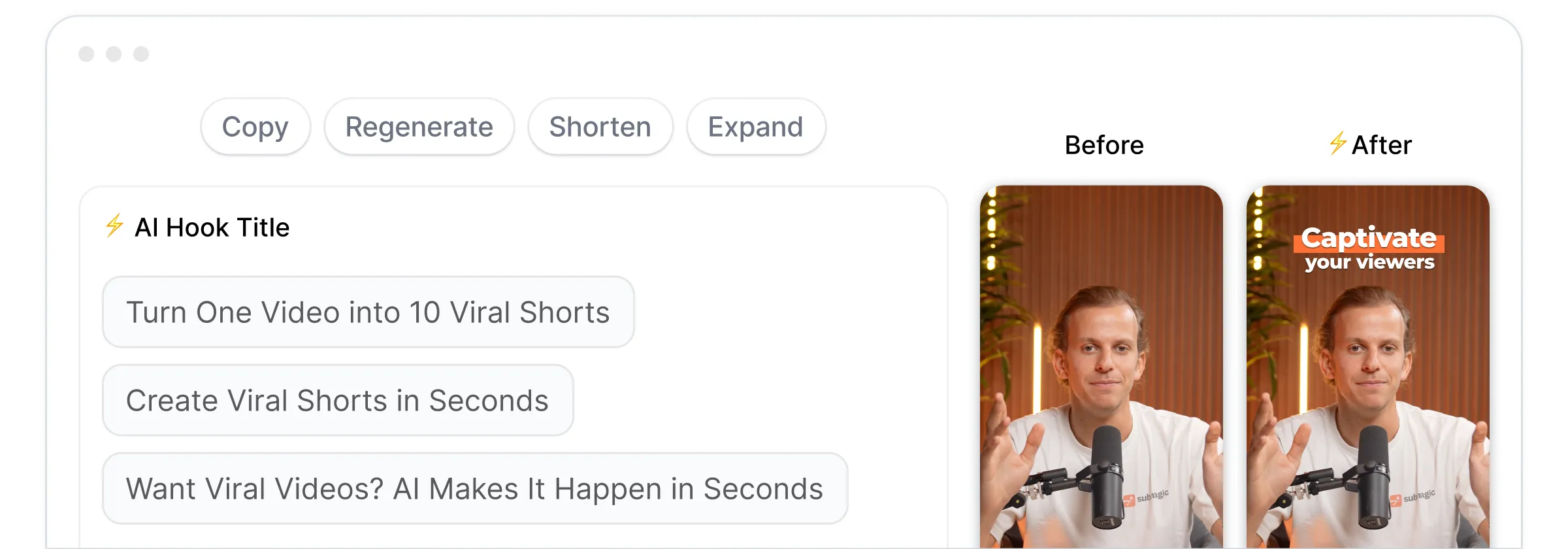
Turn one video into multiple viral shorts instantly.

Automatically repurpose videos into shorts with Magic clips. Extract key moments, cuts clips, and post content at scale.

Merge videos into one viral shorts instantly.

AI combines your videos into a clean, ready to post shorts in seconds without manual editing work.

Post more content and let AI edit your videos.

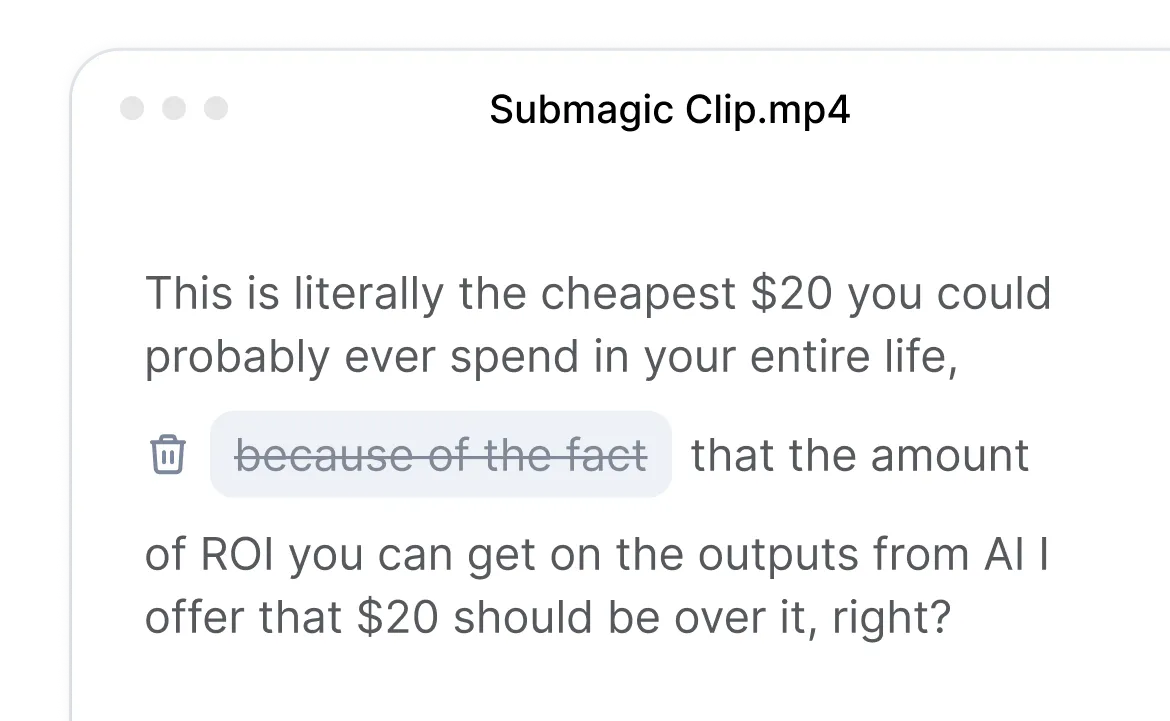
Edit videos like text. Cut, trim, and publish shorts content 10x faster without spending hours in editing.

Create shorts without filming with AI avatars.

Use AI avatars to create videos without filming or hiring actors. Publish consistent content faster and cheaper.

Stay on brand and collaborate in one workspace.

Work together in one place. Review, edit, and publish videos faster while staying fully on-brand.

How it works

Skip manual workflow.
Edit shorts with AI.

Create Viral Shorts
Try it for free

Upload a video or Youtube link

Drop any video or link. Podcasts, YouTube videos, or phone footage. All formats work.

Let AI edit for you

Submagic adds captions, removes silences, inserts B-roll, and finds key moments automatically.

Export and publish everywhere

Download ready-to-post shorts optimized for TikTok, Reels, Shorts up to 4K, 60fps.

USE CASES

Simple and fast.
Built for growing creators.

Whether you’re creating alone or with a team, Submagic removes the editing bottleneck so you can focus on growth.

Témoignages

Helping creators publish consistently.

Isaak, Content Creator

Subtitling is becoming easier and easier.

The app is amazing, and the support team is by far the bestI've seen from all the apps I'm using before.

Katerina Manola
Sportskeeda

Submagic is a massive time-saver, simply a must-have!

It is a monumental time-saver for me every single day. The workflow is extremely well-thought-out.

Damien Soulages
Youri van Hofwegen

My favorite tool for content creation.

The interface is clean, the subtitles are accurate,and it saves me so much time.

Antons Semenaks
Ela, Content Creator

Make my life easier and faster at editing videos.

You’re upgrading fast and constantly adding new features like music, trimming, and more.

Boris Iliev

FAQ

Questions creators ask about Submagic.

How do I create short with Submagic?

Upload your video, and Submagic’s AI automatically detects highlights, adds captions, and formats the clip for short-form platforms. You can edit the result like text and export in minutes.

Can I turn a long video into multiple shorts?

Upload a long-form video such as a podcast or interview. Submagic finds key moments and turns one video into multiple ready-to-post shorts automatically.

Does Submagic add captions automatically?

Submagic generates captions automatically in multiple languages and applies modern, readable styles optimized for short-form viewing with 99% accuracy.

What makes editing faster than traditional timelines?

Submagic replaces traditional timelines with text-based editing. You can cut, trim, and remove silences by editing the transcript instead of scrubbing through footage.

Does Submagic support team collaboration?

Invite your team into a shared workspace where everyone can upload, edit, review, and export videos together in real time.

What quality levels are available for export?

Submagic supports high-quality exports up to 4K resolution and 60fps, ensuring your videos look sharp on every platform.

Commencer

Start creating shorts that get more views, faster.

Create Viral Shorts
Try it for free

+40% average views increase

10× faster editing speed

80% reduction in editing cost