





Submagic est le meilleur outil d'IA pour créer des vidéos courtes impactantes en quelques secondes pour les créateurs indépendants et les entreprises.



Les meilleures agences et les meilleurs monteurs vidéo du monde entier lui font confiance


AI Auto Edit génère sous-titres votre fichier audio, ajoute des emojis, met en évidence les mots clés, applique des animations et insère des séquences d'illustration contextuelles. Choisissez un style, importez vos séquences et exportez une vidéo soignée en quelques minutes.
Ajoutez des effets de zoom, supprimez les silences, nettoyez le son et corrigez le contact visuel depuis le même éditeur.
sous-titres les séquences d'illustration sont générés automatiquement lors du téléchargement. Les outils « Magic Tools » ci-dessous s'exécutent d'un simple clic.
sous-titres automatiquement à votre discours avec une précision de 98 %, et vous pouvez choisir parmi des dizaines de modèles ou personnaliser la typographie, les couleurs et les animations pour les adapter à votre style.


L'IA analyse votre transcription et insère des extraits pertinents issus de la bibliothèque intégrée ou de vos propres fichiers. Un simple curseur permet de régler la fréquence d'apparition des séquences d'illustration.
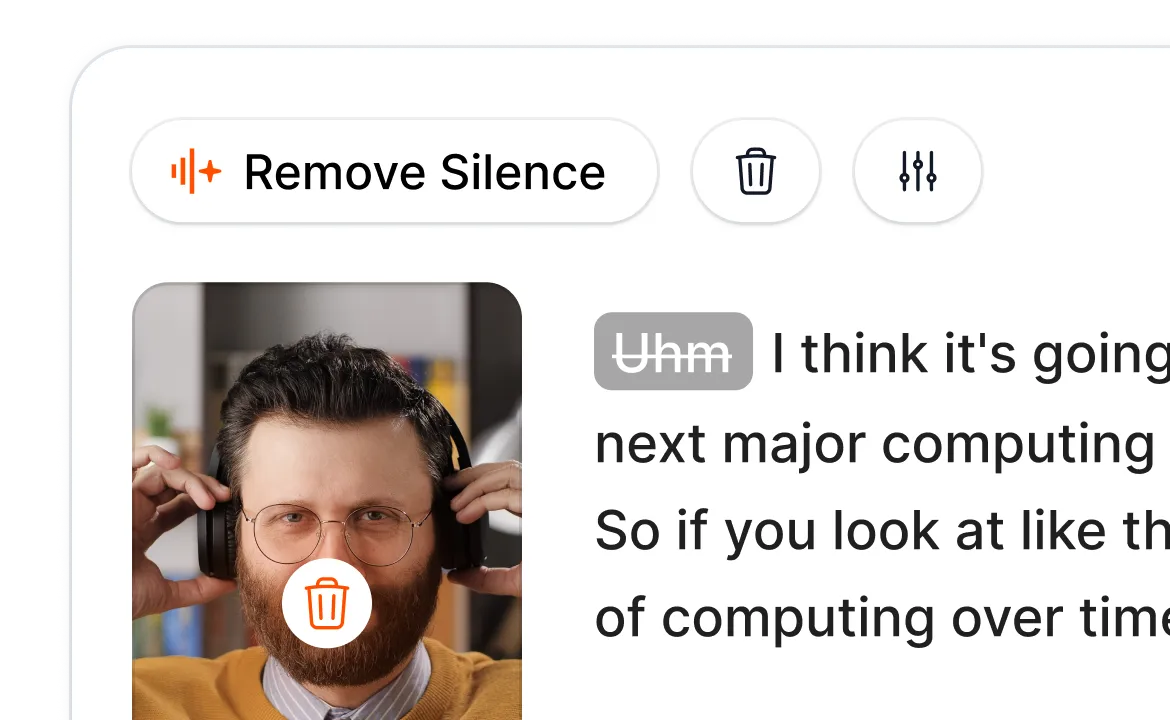
Smart Trim analyse votre enregistrement audio et supprime les silences, les mots de remplissage et les prises ratées en un seul clic, grâce aux modes « Naturel », « Rapide » ou « Extra rapide », selon le niveau de précision que vous souhaitez pour votre montage.
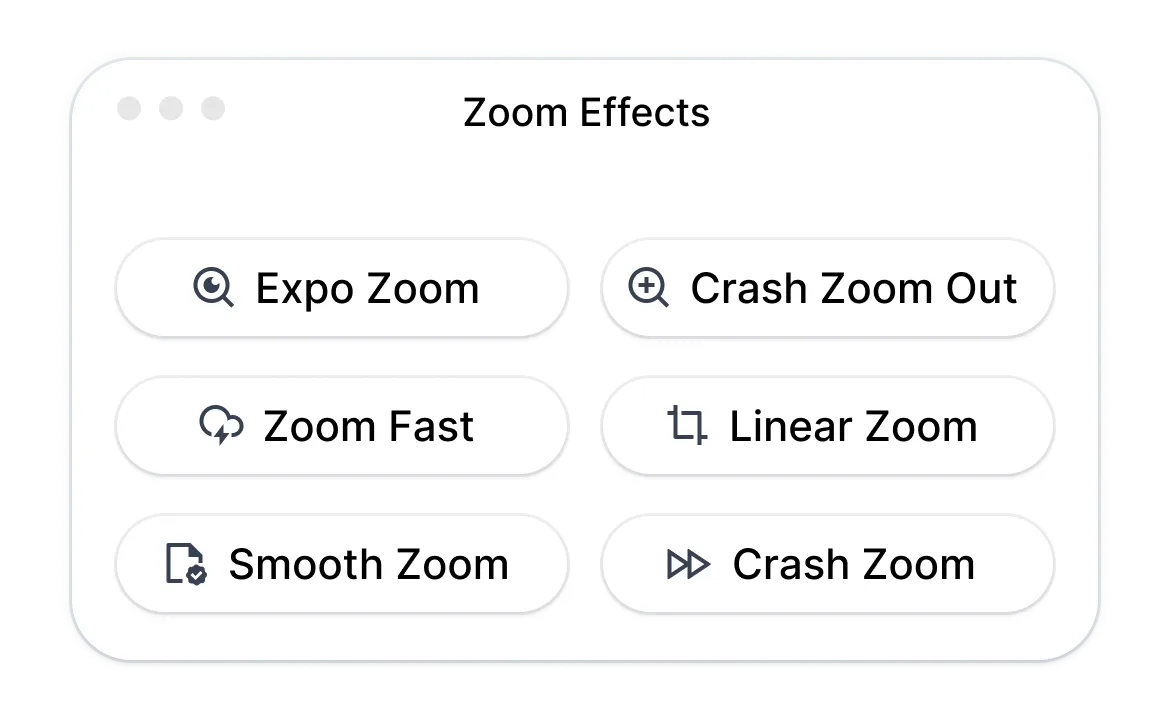
Magic Zoom met en valeur les moments clés en fonction de votre transcription, avec quatre styles (fluide, brusque, exponentiel, linéaire) et des emplacements suggérés par l'IA que vous pouvez ajuster ou compléter manuellement.
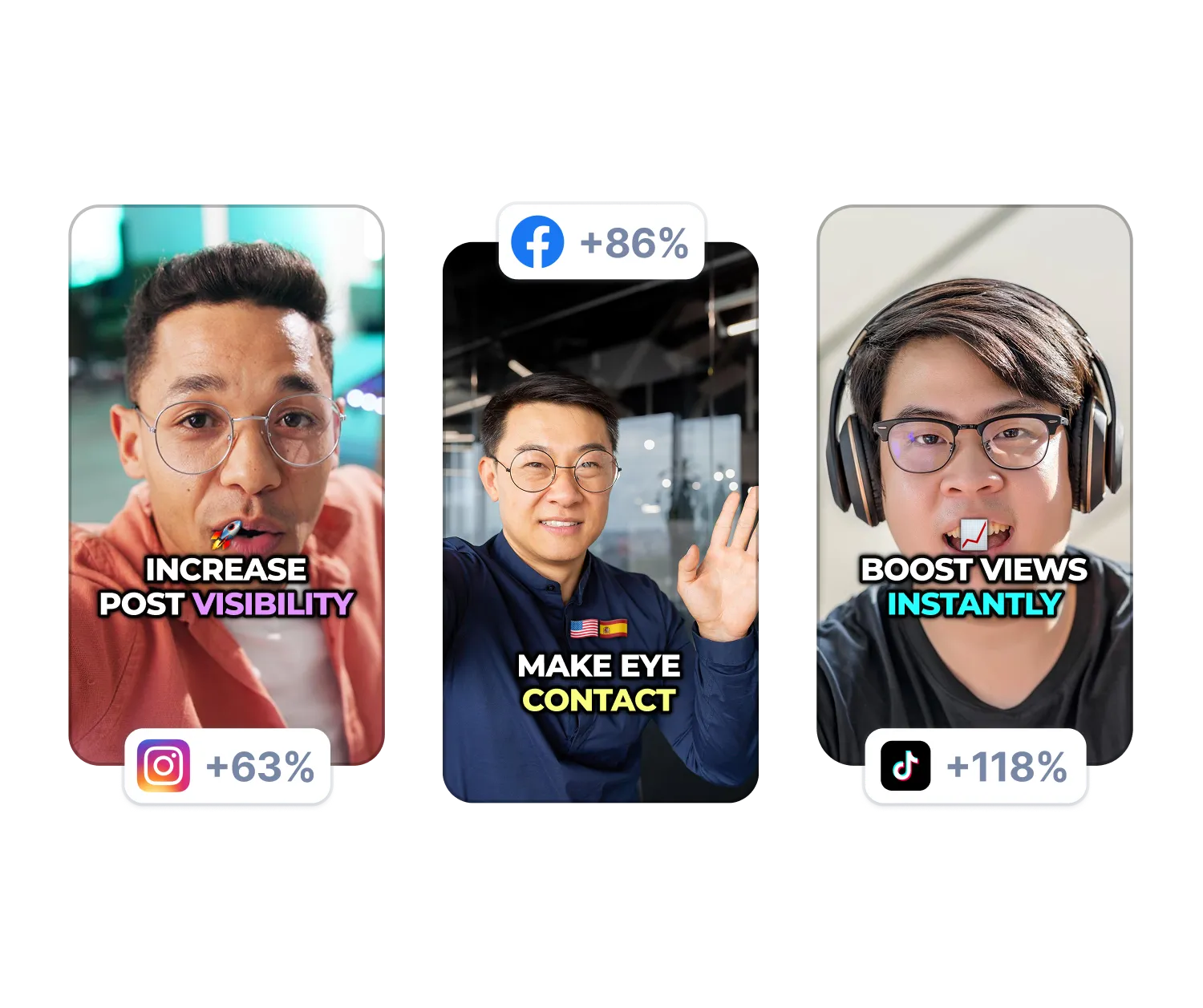
L'IA supprime les bruits de fond et ajuste votre regard pour que vous regardiez directement la caméra, même lorsque vous lisez un texte. Ces deux fonctions s'activent d'un simple clic.
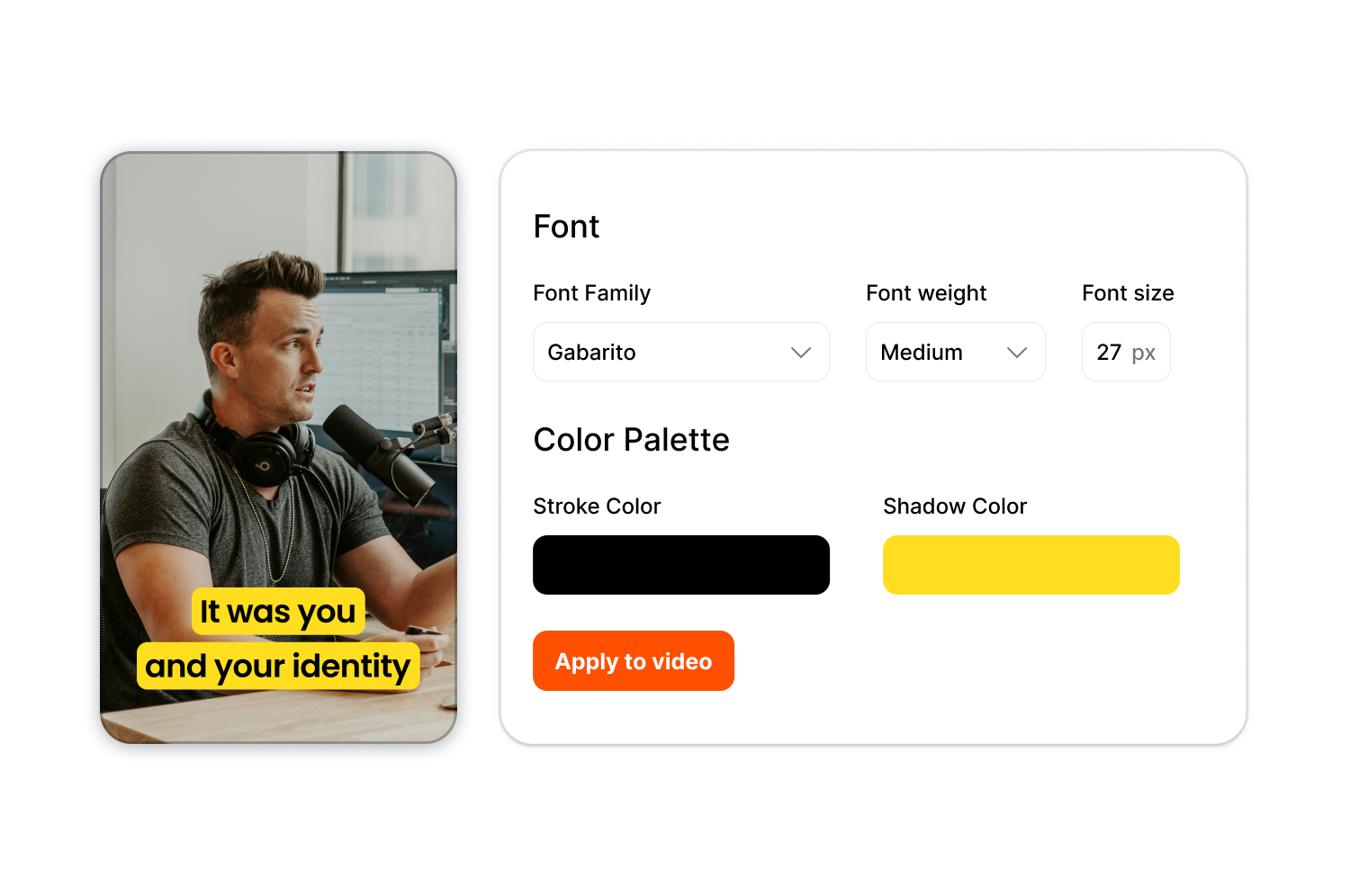
Enregistrez une seule fois vos choix typographiques, vos couleurs et vos styles de légendes dans un « Brand Kit », puis appliquez-les instantanément à n'importe quelle vidéo pour garantir une cohérence dans l'ensemble d'une série de contenus ou pour plusieurs clients.
Suivez ces trois étapes, des images brutes à la vidéo finale.
Essayez dès maintenant la fonction « AI Auto Edit »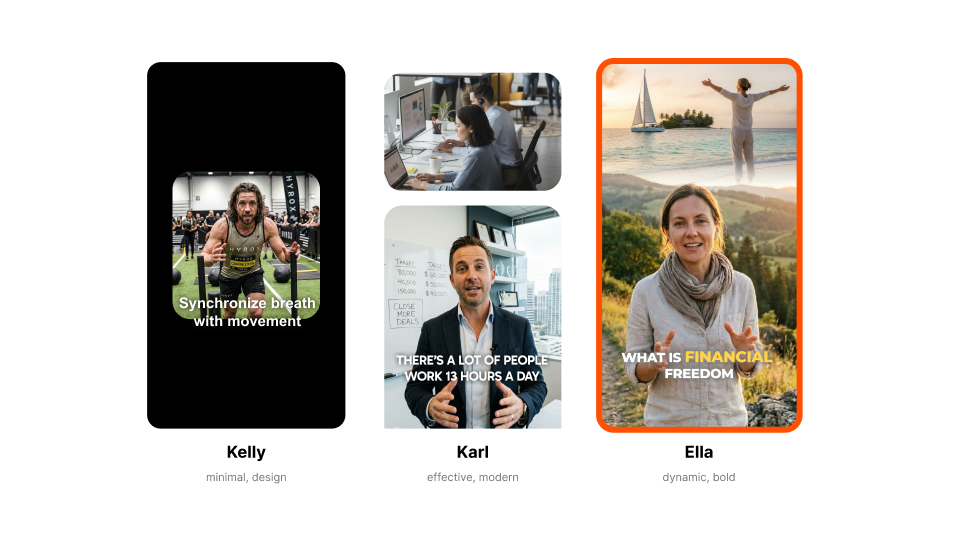
Choisissez un modèle comme « Kelly » (minimaliste), « Karl » (moderne) ou « Ella » (audacieux). Chaque style définit l'apparence de votre légende, ainsi que ses animations et ses effets.

Déposez votre fichier vidéo ou collez un lien. Vous pouvez mettre en ligne n'importe quel format standard, quel que soit le rapport d'image.
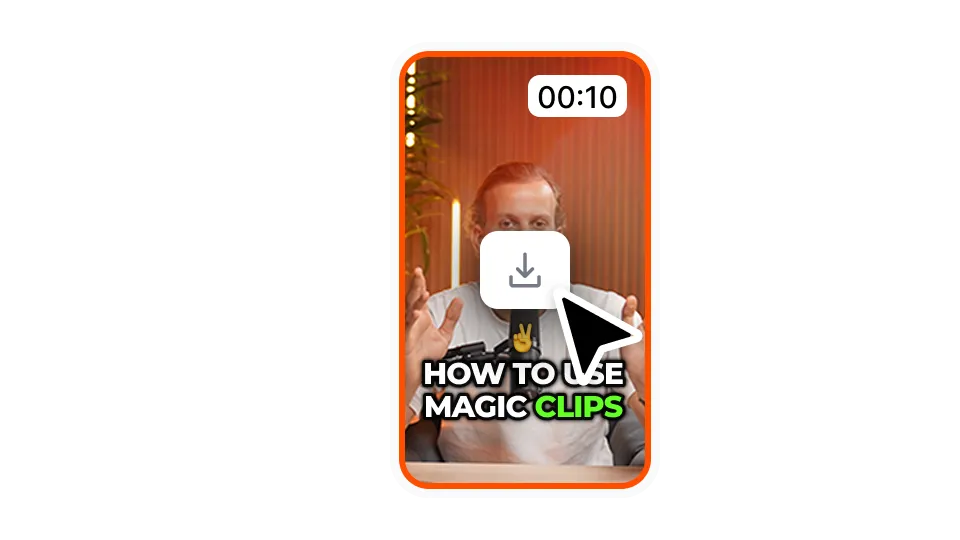
Téléchargez-la dans la résolution et le format d'image de votre choix. Votre vidéo est prête à être publiée sur TikTok, YouTube, Instagram ou LinkedIn.
AI Auto Edit s'adresse aux créateurs et aux équipes qui souhaitent publier davantage de contenu sans passer des heures sur la timeline.
Essayez la fonction « Modification automatique » dès maintenantPublier tous les jours, c'est faire du montage tous les jours, et c'est généralement là que le bât blesse. Notre outil de montage vidéo automatique réduit votre temps de montage pour que vous puissiez vous concentrer sur le tournage et le développement de votre audience.
Transformez vos longs enregistrements en clips soignés, avec sous-titres séquences d'illustration déjà intégrés. Exportez plusieurs clips par épisode sans avoir à les monter manuellement.
sous-titres clairs sous-titres les cours accessibles, tandis que les séquences d'illustration garantissent leur attrait visuel, sans avoir à faire appel à une équipe de montage. Exportez vos fichiers vers n'importe quelle plateforme sans avoir à faire appel à une équipe de montage.
Un kit par client garantit une qualité constante sans avoir à recréer les styles pour chaque vidéo. Développez votre production sans épuiser vos monteurs.
Les démonstrations de produits, les publicités de type « contenu généré par les utilisateurs » et les vidéos mettant en avant les avis des utilisateurs doivent toutes bénéficier du même niveau de finition. Modifiez en masse votre bibliothèque de contenus et lancez vos campagnes plus rapidement.
Utilisez notre éditeur vidéo automatique pour les premiers montages, afin que vos monteurs puissent se concentrer sur les choix créatifs. Les montages préliminaires, qui prenaient auparavant des heures, ne prennent désormais que quelques minutes.
La fonction « AI Auto Edit » fait partie de l'éditeur complet short-form de Submagic.

Générez automatiquement vos sous-titres en quelques minutes et personnalisez-les sans limites avec des emojis, des couleurs et des GIFs animés.
Ajoutez automatiquement des B-Rolls libres de droit ou importez vos propres transitions en un clic.
Créez des transitions fluides entre vos plans en ajoutant des effets ou en animant vos emojis avec du son.
Créez des transitions 5 étoiles entre vos différentes séquences pour un effet dynamique.
Supprimez les plans superflus et les silences de votre vidéo d’un simple coup de baguette magique !
Donnez du rythme à votre vidéo en ajoutant images et GIFs en quelques secondes.
Ajoutez des effets sonores pour enrichir l'ambiance et mettre en valeur les temps forts de votre vidéo.
Ajoutez facilement une musique d'ambiance pour sublimer l’atmosphère de votre vidéo.
Générez une description et des hashtags pertinents pour maximiser la visibilité de vos vidéos sur les médias sociaux.
Transformez instantanément vos contenus longs en plusieurs formats courts et dynamiques.
Laissez l’outil repérer et extraire les meilleurs moments de vos vidéos pour un impact maximal.
Laissez l'IA améliorer vos vidéos grâce à des transitions professionnelles et des ajustements de synchronisation.
Traduisez automatiquement vos vidéos dans plus de 100 langues avec des sous-titres synchronisés avec votre voix et votre style.

The caption generator is 98% accurate across 123 languages. The interface shows exact accuracy percentage for each video. Adjust any word inline if needed.
Oui. Commencez avec n'importe quel modèle ou créez le vôtre. Personnalisez la typographie, les couleurs, les ombres, les contours, la position et les animations. Importez des polices personnalisées pour un contrôle total de votre image de marque.
Tous les formats standard sont pris en charge. Vous pouvez exporter des vidéos de 720p à 4K dans cinq formats d'image : 9:16, 4:5, 1:1, 16:9 ou le format d'origine.
La plupart des vidéos durent moins de 5 minutes. sous-titres en environ une minute, et les séquences d'illustration ainsi que les effets sont appliqués instantanément.
Oui. Vous pouvez utiliser la bibliothèque de vidéos intégrée, importer vos propres clips ou combiner les deux.
Il supprime les silences, les mots de remplissage et les pauses gênantes. Vous pouvez choisir entre les modes de détection « Naturel », « Rapide » ou « Très rapide ».
Oui. Créez une palette de marque comprenant votre typographie, vos couleurs et vos styles. Appliquez-la instantanément à n'importe quelle vidéo.
Oui. Téléchargez le fichier au format SRT ou exportez la vidéo avec les sous-titres uniquement sur fond vert ou bleu.
Les vidéos d'une durée maximale de 2 heures sont acceptées.
Vous commencez gratuitement avec un nombre limité d'exportations. Passez à un forfait supérieur lorsque vous en avez besoin de plus.
Submagic est le meilleur outil d'IA pour créer des vidéos courtes impactantes en quelques secondes pour les créateurs indépendants et les entreprises.